Pin Grid Array (PGA) Technology: Features, Applications, Pros & Cons, and Comparisons
As the demand for high-performance chips continues to rise, the packaging technologies that house these components must evolve to meet the challenges of power, heat, and complexity. The Pin Grid Array (PGA) has proven itself as a reliable solution, offering a unique design that allows for efficient heat dissipation, easy upgrades, and secure connections. From processors in desktop computers to high-powered industrial applications, PGA plays a vital role in ensuring both performance and longevity. Let’s dive into what makes PGA such an enduring choice in modern electronics and how its features continue to shape the devices we depend on today.
Introduction to Pin Grid Array (PGA) Technology
What is a Pin Grid Array (PGA)?
A Pin Grid Array (PGA) is a type of packaging used to connect complex electronic chips, such as processors (CPUs) and graphics chips (GPUs) , to a motherboard (PCB – Printed Circuit Board) . The PGA design features an array of pins arranged in a grid pattern at the bottom of the chip package. These pins make contact with corresponding holes or pads on the motherboard, allowing the chip to send and receive electrical signals.
Key Features of PGA:
- Pin Configuration: The pins in a PGA are usually arranged in rows and columns, forming a square or rectangular shape. Each pin serves as a connection point for power, ground, or data signals between the chip and the motherboard.
- Grid Design: The pins are placed in a grid-like pattern that ensures the efficient distribution of signals, providing reliable connections.
- Integration with PCBs: PGA components are inserted into special sockets on the motherboard. This socket-based connection allows easy replacement of the chip without soldering, making upgrades and repairs more convenient.
Real-Life Example:
A common example of PGA is found in desktop processors, like those from Intel. These processors use PGA packages to connect to the motherboard through hundreds of tiny pins. For instance, the Intel LGA 1700 socket is based on a PGA design, which allows users to replace or upgrade processors easily.
History and Evolution of PGA Packaging
The PGA packaging method has evolved significantly over the years, with improvements in design and functionality to support the growing demands of modern electronics.
- Early Packaging Methods: Before PGA, earlier packaging technologies like Dual In-line Package (DIP) were used. In DIP, the pins were arranged in two parallel rows. While this design worked for simpler components, it was limited in pin count and size, which restricted its use for more complex chips like processors.
- Rise of PGA: PGA was developed to overcome these limitations. The grid design allowed for a much higher number of pins (ranging from 100 to 1,000+), making it ideal for complex processors that need many connections. The key advantage of PGA over older methods was its ability to handle the increasing complexity of chips without making the chip package too large or difficult to manage.
- Transition from DIP to PGA: As microprocessors became more powerful and required more connections, the PGA method became the go-to solution. Unlike DIP, PGA provided a more compact and reliable way to manage a large number of connections in a small area. This made it an ideal choice for advanced processors used in desktop computers, servers, and later, high-performance graphics cards.
Real-Life Example:
One notable transition was seen with the development of the Intel Pentium processors in the 1990s. These processors switched from using the older DIP package to the PGA package, allowing for much higher pin counts and better electrical performance.
Core Features of PGA Packages
High Pin Count in PGA Packages
PGA packages are known for their ability to support high pin counts, making them ideal for high-performance chips that require multiple connections. PGA packages typically range from 100 to over 1,000 pins, with some designs featuring up to 1,700 pins or more. This large number of pins allows PGAs to support complex processors, memory modules, and other integrated circuits that need a large number of electrical connections.
For example, the Intel Core i7 CPUs use a 1,700-pin PGA variant, allowing the processor to handle numerous data channels and power management connections simultaneously. This high pin count is essential for modern computing applications, including gaming, video editing, and data processing, where high-performance and multi-core capabilities are required.
The large pin count in PGA packages ensures that each connection can handle a specific part of the chip's functionality, providing efficient data transfer, power supply, and signal integrity.
Socket Mounting Mechanism
One of the key features of PGA packages is their socket mounting mechanism. Unlike other packaging types like BGA (Ball Grid Array) , which are soldered directly onto the PCB, PGA components are inserted into specially designed sockets on the motherboard or circuit board. This socket-based design provides several benefits:
- Ease of Upgrades and Replacements: The socket mounting system allows for easy replacement or upgrade of the component without needing to rework the entire board. This is especially useful in desktop computers and servers, where processors or memory modules may need to be swapped for more powerful versions over time.
- Less Risk of Damage: Since the component is not permanently soldered to the board, there is less risk of damage to the motherboard during component removal or insertion. This makes PGA packages more durable and user-friendly.
In comparison, BGA packages are mounted using solder balls and provide a more permanent connection. While BGA offers better space efficiency and is suitable for high-density applications, PGA's socket-based mounting provides more flexibility and ease of repair or upgrade.
Mechanical Integrity and Pin Design
The mechanical integrity of PGA packages is crucial for their performance and reliability. The pins in PGA packages are thicker than those found in other package types, typically ranging from 0.3mm to 0.5mm in diameter. This thickness helps to prevent the pins from bending or breaking, even in harsh environments where vibrations, shocks, or thermal stress might occur.
The stable mechanical connections provided by these thicker pins ensure that the electrical connections between the PGA package and the socket remain reliable over time. This makes PGA an excellent choice for industrial or high-performance applications where reliability is a top priority, such as in data centers, servers, and workstations.
By preventing pin damage and maintaining stable connections, PGA packages ensure consistent performance and longevity, even in challenging environments where other package types might struggle.
Heat Dissipation Capabilities of PGA
Effective heat dissipation is a critical factor for high-performance chips, especially in modern processors that generate significant amounts of heat during operation. The large body of a PGA package plays a vital role in heat management, as it provides more surface area for heat dissipation compared to smaller packages like SMT (Surface-Mount Technology) or BGA.
Additionally, PGA packages are often used in conjunction with heatsinks and cooling fans to enhance heat dissipation. These cooling solutions help maintain the temperature of the processor or other components within safe operating limits, preventing overheating and ensuring optimal performance.
For example, high-power processors like GPUs or server-grade CPUs often use PGA packages combined with large heatsinks to manage the substantial heat output. These cooling mechanisms are crucial for preventing performance degradation or thermal throttling in demanding applications such as gaming, video rendering, or AI computations.
By providing an effective means of managing heat, PGA packages contribute to the long-term reliability and efficiency of high-power electronic systems.
Applications of PGA Packaging
PGA in Computing Devices
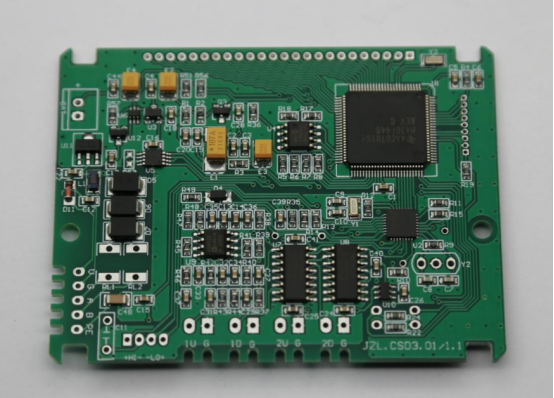
PGA packages are commonly used in desktop and laptop processors due to their high pin count and reliable mechanical connections. One notable example is the Intel LGA 1700 PGA variant, which is used in Intel Core i9 and i7 processors. These processors require numerous pins for data transfer, power management, and multiple core connections. The PGA's large pin count allows these processors to handle the high demands of modern gaming, multitasking, and content creation without compromising performance.
In server processors, PGA is also heavily used, especially in systems that perform heavy-duty data processing. For instance, Intel Xeon processors, which are designed for enterprise-grade servers and cloud computing, use PGA packages to accommodate their high pin count and power requirements. The PGA's socketed design makes it easier to upgrade or replace these processors, which is a major advantage for maintaining server performance over time.
PGA in GPUs
GPUs, which are essential for gaming, video rendering, and high-performance computing (HPC) , often use PGA packaging to manage their large power and signal connections. GPUs require substantial data throughput and power delivery to process high-resolution graphics and complex computations efficiently. PGA packages provide the required number of pins for these power-intensive connections, making them the preferred choice for modern GPUs.
For example, NVIDIA's high-performance GPUs, such as the RTX series, can incorporate PGA packaging to meet the power delivery needs of the latest 3D gaming and AI applications. The PGA's robust structure ensures the pins remain intact and stable under the high demands of gaming rigs or data centers.
Compared to other package types like BGA, PGA is often preferred for GPUs due to its socketed mounting system, which simplifies upgrades and repairs. This is especially useful in custom-built or enterprise-level GPU systems, where frequent hardware upgrades are necessary for optimal performance.
PGA in Industrial and High-Power Applications
PGA packaging is highly valued in industrial and high-power applications, such as microcontrollers used in factory automation and robotics. Industrial systems require components that can withstand harsh environments and provide stable connections for long periods. PGA's mechanical durability and ability to handle high power loads make it a suitable choice for industrial microcontrollers that manage factory machinery, sensor systems, and automated production lines.
In high-power components like power converters and motor controllers, PGA packages can support the high currents and signal integrity needed for reliable operation. The robust nature of the PGA's pins ensures these components can operate continuously in high-stress industrial settings without failure, offering long-term reliability and ease of maintenance.
PGA in Scientific and Precision Equipment
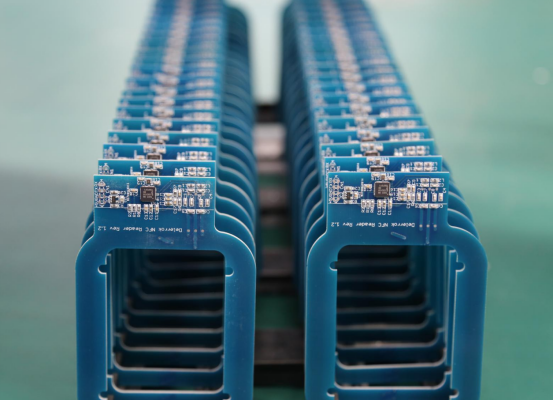
In scientific instruments such as oscilloscopes, signal generators, and high-precision measurement devices, PGA packaging plays a critical role. These instruments often require precise signal processing and high-speed data transfer, which PGA can provide. Its large pin count and mechanical stability make it ideal for supporting the complex electronics inside these instruments.
For example, in oscilloscopes, which are used to measure signal voltages and frequencies, the PGA package can handle the intricate connections needed for accurate signal transmission. The socket mounting of PGA also makes it easier to replace damaged components, which is essential for maintaining the accuracy and calibration of these instruments over time.
Advantages of PGA Packaging
Easy Upgrades and Maintenance
One of the major benefits of PGA packaging is the ease with which processors and other components can be upgraded or replaced without needing to replace the entire circuit board. The socketed design of PGA allows for components to be easily inserted or removed, making it ideal for upgrades in devices that require regular hardware changes.
For example, in a desktop computer, upgrading a CPU is straightforward if it uses a PGA socket. Simply remove the old processor, insert the new one into the socket, and secure it in place. There is no need to replace the motherboard, making the upgrade process faster, more cost-effective, and less risky. This is especially useful for users who want to upgrade to a more powerful processor without the hassle of replacing the whole system.
Improved Reliability and Stability
PGA packaging provides enhanced reliability and stability thanks to its strong mechanical connections between the pins and socket. The thicker pins in PGA packages (usually 0.3mm to 0.5mm) ensure that they are less prone to bending or damage under physical stress. This durability makes PGA an ideal choice for mission-critical systems, where system failures are not an option.
For example, in servers or industrial control systems, which need to run 24/7 without interruption, the mechanical integrity of PGA's pins ensures that the connections remain stable over time. This resilience reduces the risk of downtime caused by component failures, providing peace of mind for users in high-demand environments.
Superior Heat Handling
Another important advantage of PGA packages is their ability to handle heat dissipation effectively. The large surface area of the PGA package helps distribute heat more evenly, preventing overheating. Additionally, PGA components are often used with heatsinks or cooling fans to help manage the heat generated by high-power chips.
For instance, CPUs used in gaming PCs or workstations can generate over 100W of heat under heavy load. The PGA design allows for better attachment of heatsinks, which improve cooling and maintain optimal performance. Without proper heat management, components can overheat, leading to thermal throttling or even permanent damage. With PGA's effective heat handling, these risks are minimized, ensuring that high-performance processors remain cool during intensive tasks like gaming or video rendering.
Support for Complex, High-Pin Count Chips
PGA packages excel at handling complex chips with a high number of pins. These chips often require extensive connections for data transfer, power delivery, and signal management. PGA packaging is designed to support chips with hundreds to over a thousand pins, making it ideal for multi-core processors, memory modules, and other advanced integrated circuits.
For example, multi-core processors, such as those used in servers or workstations, rely on PGA packages to handle the large number of pins required for communication between cores and memory. As the demand for higher performance increases, PGA's ability to accommodate large, complex chips ensures that these systems can deliver the required processing power without compromising on reliability or speed.
Disadvantages of PGA Packaging
Large Physical Size
One of the primary disadvantages of PGA packaging is its larger physical size compared to other packaging methods, such as BGA. The PGA package has a grid of pins that extend from the bottom of the component, requiring a significant amount of space on the PCB. This can be a challenge in compact devices where every inch of space is valuable.
In modern electronics, particularly in smartphones, wearables, and other small portable devices, minimizing the size of components is crucial. PGA's large footprint makes it unsuitable for these applications, where space is at a premium. For example, a smartphone needs a tiny motherboard with space allocated for a variety of components, from the processor to sensors, batteries, and connectivity modules. The size of PGA packages can limit the number of components that can fit on a board, making other smaller packages like BGA a better choice for such compact designs.
Higher Cost Implications
Another downside of PGA packaging is the higher cost associated with its production and assembly. The socketed design of PGA packages requires a specific PGA socket to be integrated onto the PCB, which adds additional costs. The price of these sockets can range from $5 to $20 per PCB, depending on the complexity and the number of pins in the package.
This additional cost makes PGA packaging more expensive than alternatives like BGA, where components are directly soldered onto the PCB. In high-volume manufacturing, this price difference can add up significantly, especially in consumer electronics or low-cost devices that need to keep production costs low. For example, a smartphone or tablet manufacturer might opt for BGA or SMTto save on both space and costs, especially when working with large quantities of devices.
Manual Assembly and Production Challenges
PGA packaging presents assembly challenges, particularly during the manufacturing process. Because the pins in PGA packages extend from the bottom and must be aligned perfectly into a socket, the process of socket alignment becomes critical. This adds complexity to automated assembly lines or manual assembly processes, as each PGA component must be placed carefully in the correct orientation and inserted into the socket.
The need for precise socket alignment and manual handling can slow down the production process, reducing overall efficiency. For example, in high-volume production, where thousands of components need to be assembled quickly, the slower process of inserting and securing PGA components can impact the speed of manufacturing. This can make PGA less suitable for mass production compared to other packaging methods like BGA, which are more easily handled by automated pick-and-place machines.
Not Suitable for Compact Devices
Due to its larger size and mechanical requirements, PGA packaging is not suitable for compact devices like smartphones, wearables, or IoT sensors. These devices demand smaller, more efficient packaging solutions to save on space and ensure portability. PGA's large footprint and socket-based mounting make it a poor choice for applications that prioritize size and weight reduction.
For example, in a smartphone, space is limited, and every component must be as small and compact as possible. While PGA works well in desktop computers or servers, where larger components and more space are available, it is not feasible for devices that need to be both lightweight and compact. In such cases, packaging types like BGA or QFN (Quad Flat No-lead) are more appropriate, as they are smaller, offer better heat dissipation, and can be more easily integrated into tight spaces.
Comparing PGA with Other Packaging Types
PGA vs. BGA
PGA and BGA are two popular packaging types for semiconductor components, but they differ in several key aspects.
- Design and Pin ConfigurationPGA uses pins that extend outward from the component's base, and these pins are inserted into a socket on the PCB (Printed Circuit Board). The pins are often arranged in a grid pattern, which is where the name comes from. On the other hand, BGA has solder balls arranged in a grid pattern on the bottom of the component. These balls are soldered directly to the PCB during assembly.
- Mounting MethodsPGA components are mounted using sockets, which makes it easy to replace or upgrade the component without replacing the entire board. BGA, however, is soldered directly to the PCB and cannot be easily removed once installed, which makes PGA a better option for upgrades or repair.
- Pros and Cons in Different Applications
- PGA Pros: Ideal for applications where upgrades and maintenance are important, such as in servers or desktop computers. PGA sockets make it easier to swap out processors.
- PGA Cons: Larger footprint and more expensive due to the need for sockets.
- BGA Pros: Smaller size and better suited for compact devices like smartphones, tablets, or laptops. BGA's direct soldering to the board offers better signal integrity and heat dissipation.
- BGA Cons: Difficult to replace or upgrade without specialized equipment, making it less ideal for repair or component swaps.
In summary, PGA is great for maintenance-heavy applications like workstations and server processors, while BGA is better for compact, high-performance devices such as mobile phones or laptops.
PGA vs. LGA
PGA and Land Grid Array (LGA) are both socketed packaging types but have distinct differences.
PGA uses pins that extend outward from the component, while LGA uses pads on the component’s base. These pads make contact with pins on the socket of the PCB, forming the electrical connection.
In PGA, the pins on the component can be bent or damaged if handled improperly, while LGA components are less prone to damage since the pins are on the socket, not the component itself.
How LGA Has Become a Common Alternative
- LGA has gained popularity as a socketed alternative to PGA due to its ease of handling and greater durability.
- LGA components are less likely to suffer from bent pins, which can be a problem with PGA. Intel's Core i7 and i9 processors use LGA sockets, which have replaced PGA in newer processor designs for desktop and server applications.
Advantages of LGA Over PGA
- LGA can accommodate higher pin counts than PGA because the pins are on the socket, allowing for a larger number of connections within a similar size.
- LGA components are easier to handle and install because there are no pins at risk of bending.
In summary, while PGA is still preferred in applications requiring easy upgrades and maintenance, LGA is now the preferred choice for modern processors, especially in consumer-grade desktops and server environments.
Comparison Table
| Feature | PGA | BGA | LGA |
| Pin Configuration | Pins extend from the component | Solder balls on the bottom | Pads on the component bottom |
| Mounting Method | Uses sockets for installation | Soldered directly to the PCB | Installed on sockets |
| Size | Larger footprint, takes more space | Smaller, more compact | Moderate size |
| Ease of Upgrade | Easy to swap out with sockets | Difficult to replace once soldered | Easy to swap with sockets |
| Durability | Pins can bend if mishandled | Better mechanical stability | Fewer chances of bending pins |
| Application | Used in desktop processors, servers | Used in compact devices like smartphones and laptops | Preferred in modern processors (Intel Core series) |
Conclusion
Choosing the right packaging type—whether it's PGA, BGA, or LGA—depends on the specific needs of your device, from performance and size to durability and ease of maintenance. Each packaging method has its own strengths and applications, and understanding these differences can help you make informed decisions for your projects.
If you're looking for expert guidance or high-quality PCB manufacturing solutions, PCBMASTER is here to help . With years of experience in the industry, we provide top-notch services tailored to your needs, ensuring your components are perfectly integrated for maximum performance. Feel free to reach out to us for professional advice or to discuss your next project!
FAQs
What are the main advantages of using a PGA package over other types of packaging?
PGA offers several advantages, including easy upgrades, superior reliability, and efficient heat dissipation. These features make it ideal for high-performance applications such as desktop processors and server CPUs, where maintainability and thermal management are crucial.
Is PGA used in all types of processors?
No, PGA is typically used in high-performance chips like CPUs and GPUs, especially for desktop computers and server processors. However, it is not commonly used in compact devices or low-power processors like those found in smartphones, tablets, and wearables, where space and power efficiency are more important.
Can I replace a PGA chip myself?
Yes, PGA packages allow for easy removal and replacement of chips. This makes them ideal for DIY upgrades or repairs. Unlike BGA or LGA packages, which are soldered directly to the board, PGA components are mounted in sockets, so you can easily swap out the chip when needed.
What is the cost difference between PGA and other packaging types?
The cost of PGA packaging can be higher than alternatives like BGA. PGA sockets can add between $5–$20 per PCB, depending on the number of pins and the complexity of the socket. This additional cost makes PGA more expensive than soldered packages, but it is justified by its upgradeability and reliability.
Why is PGA not suitable for small devices like smartphones?
PGA is not suitable for compact devices like smartphones because of its larger physical size and the need for space to accommodate the pin grid. Smartphones, wearables, and other mobile devices require small, efficient components, and the large footprint of PGA limits the number of components that can fit on a PCB.
About the Author

Carol Luo
PCB Design EngineerI'm Carol, a PCB Engineer at PCBMASTER with experience in PCB design and manufacturing engineering since 2018. I focus on translating engineering requirements into reliable PCB solutions, with expertise in stack-up design, material selection, and design-for-manufacturing (DFM). I share practical engineering insights from real-world PCB design and production experience.
Visit Carol Luo's Profile