








Printed Circuit Board Connectors: Key Considerations for Reliable Connections
Every electronic device relies on a network of connections to function properly, and at the heart of this network are the connectors on the printed circuit board (PCB) . These often-overlooked components ensure that signals flow seamlessly, power is distributed evenly, and data is transmitted without interference. Yet, selecting the right connector isn’t always straightforward. With a range of options available, each with its own strengths and limitations, making the right choice can be the difference between a reliable, long-lasting design and one prone to failure. Understanding the factors that affect connector performance can help you navigate these choices and ensure your PCB performs at its best, no matter the application.
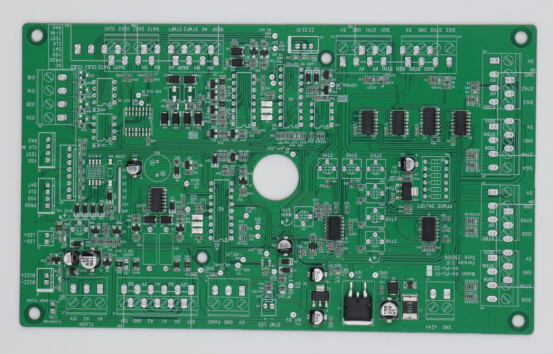
Introduction to Printed Circuit Board (PCB) Connectors
Importance of PCB Connectors
PCB connectors are essential components that facilitate reliable electrical connections between different parts of a printed circuit board (PCB) and external devices or other PCBs. Their primary role is to ensure that electrical signals, power, and data are transmitted without interruption or degradation. Without quality connectors, even the most advanced PCBs can experience malfunctions, signal loss, or reduced performance.
In industries ranging from electronics and telecommunications to automotive and medical devices, PCB connectors are used to enable seamless communication and power delivery between components. In electronics, connectors are crucial in devices such as smartphones, laptops, and consumer electronics, while in automotive systems, connectors ensure smooth communication between critical components like sensors, controllers, and infotainment systems. For telecommunications, high-performance connectors are vital for data transmission in networks, while in medical devices, they play a key role in ensuring the safety and reliability of diagnostic and therapeutic equipment.
Types of PCB Connectors
PCB connectors come in a variety of forms, each designed to meet specific requirements for different applications. Broadly, they can be classified into three main types: wire-to-board, board-to-board, and cable-to-board connectors.
- Wire-to-Board Connectors: As the name suggests, these connectors are used to connect wires to a PCB. They are commonly used in applications where external wires need to be attached to the board, such as in power supplies, automotive systems, and consumer electronics. These connectors can range from simple two-pin connectors to more complex multi-pin designs, allowing for various configurations depending on the application. Examples include Molex and JST connectors.
- Board-to-Board Connectors: These connectors are used to connect two PCBs together, often in stacked or parallel configurations. Board-to-board connectors are critical in applications where devices need to communicate or share power and data between multiple PCBs, such as in modular systems, computer motherboards, and communication devices. These connectors come in different pitches (spacing between pins) and are designed to offer high-density connections. Popular examples include PCIe connectors and FPC/FFC connectors.
- Cable-to-Board Connectors: These connectors are used to connect external cables to a PCB, enabling power or data transfer between a device and other systems. Cable-to-board connectors are often used in situations where a device needs to be connected to peripheral equipment, such as in USB connections, external power adapters, and sensors. Examples include IDC connectors (Insulation Displacement Connectors) and USB connectors.
Each type of connector has unique characteristics that make it suitable for specific applications. Factors such as the number of pins, size, mounting method, and environmental resistance are considered when selecting the appropriate connector type.
Additionally, PCB connectors can vary based on their mounting type and functionality. Connectors may be designed for through-hole mounting, where pins are inserted into holes drilled into the PCB and soldered on the opposite side. Alternatively, surface-mount connectors are soldered directly onto the surface of the PCB, offering a more compact design suitable for high-density boards. The size of connectors also plays a critical role—smaller connectors are typically used in compact, portable devices, while larger connectors are used in more robust systems requiring higher power handling.
By understanding the various types and features of PCB connectors, designers can make informed decisions that ensure their boards operate efficiently and reliably across a wide range of applications.
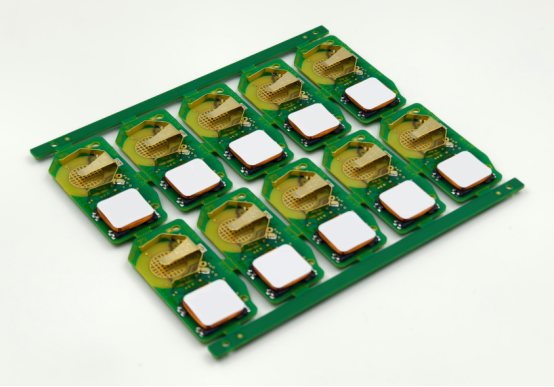
Key Considerations for Reliable PCB Connector Selection
When selecting connectors for your PCB, it's crucial to account for both electrical performance and mechanical properties to ensure a reliable, long-lasting connection. Below are the key factors to consider when making your selection.
Electrical Performance Requirements
Voltage and Current Ratings
Voltage and current ratings determine the maximum power a connector can handle without overheating or failing. Each connector is designed to safely carry a certain level of voltage and current, and exceeding these limits can lead to overheating, potential damage, or failure of the circuit.
For instance, high-voltage connectors used in industrial or power electronics applications must be rated for higher voltage levels to prevent breakdown of the insulating materials. On the other hand, low-current connectors, like those used in low-power devices such as smartphones or wearable tech, require less power handling capacity.
It's essential to match the voltage and current ratings of the connector with your circuit's power requirements. Example: A Molex Mini-Fit Jr. connector, which is often used in power supplies, is rated for up to 5 amps per contact, while a Deans connector, commonly used in RC applications, handles much higher currents (up to 60 amps).
Signal Integrity
Signal integrity is crucial for high-speed, high-frequency applications, such as data transmission and RF (radio frequency) systems. The connector choice directly affects the quality of the signal and data transmission speed.
Poorly designed connectors can cause signal degradation due to factors like poor contact resistance or improper shielding, leading to data loss, noise interference, or slower transmission speeds.
For high-frequency signals, connectors with shielding and low-contact resistance are essential. For example, HDMI connectors are designed to maintain high signal integrity for video and audio transmission, while RJ45 connectors used in Ethernet cables need to minimize signal loss for fast networking.
Proper connector selection can ensure that high-speed connectors (such as PCIe or USB connectors) maintain the integrity of high-frequency signals.
Mechanical Properties
Durability
Durability is a key factor in ensuring connectors perform reliably over time. The material chosen for the connector can significantly impact its long-term performance, especially under extreme conditions such as vibration, corrosion, or repeated mechanical stress.
Gold plating is commonly used in connectors for its excellent corrosion resistance and low contact resistance, which helps maintain the integrity of the connection over time. This is especially important in environments with moisture or chemical exposure.
Stainless steel or brass is also often used for its strength and resistance to wear, making connectors more durable in harsh environments like automotive or industrial applications.
Example: Automotive connectors often use gold-plated pins to ensure reliable performance despite exposure to harsh conditions, such as temperature fluctuations and humidity.
Locking Mechanisms
Locking mechanisms, such as latches or snaps, help secure connectors in place and prevent them from becoming accidentally disconnected. This is particularly important in mission-critical applications where a stable, uninterrupted connection is necessary.
Board-to-board connectors with locking features ensure that two boards stay securely connected even under mechanical stress or vibrations. For instance, FPC/FFC connectors often incorporate a latch to hold the flexible flat cable securely in place.
Wire-to-board connectors used in consumer electronics, such as smartphones, may also include latching mechanisms to prevent wires from coming loose during regular handling or usage.
Size and Form Factor
The size and form factor of a connector are critical considerations for high-density PCBs, where space is limited. Miniaturized connectors are necessary for compact devices like smartphones, wearables, and portable electronics.
Compact connectors, such as micro-USB or M.2 connectors, are designed to offer high performance without taking up much space. In contrast, larger connectors like DB9 or D-Sub connectors are typically used in industrial applications where size constraints are less critical.
Designers must carefully consider the pitch (the distance between connector pins) and mounting style (through-hole or surface-mount) to ensure the connector fits within the available space on the PCB without interfering with other components.
Example: Surface-mount connectors, which are soldered directly onto the PCB surface, are often chosen for high-density applications due to their compact size and ease of automation during manufacturing.
By keeping these electrical and mechanical considerations in mind, you can select PCB connectors that provide reliable performance and long-term durability for your specific application. Matching the right connector to your design needs ensures not only operational efficiency but also minimizes the risk of failure under demanding conditions.
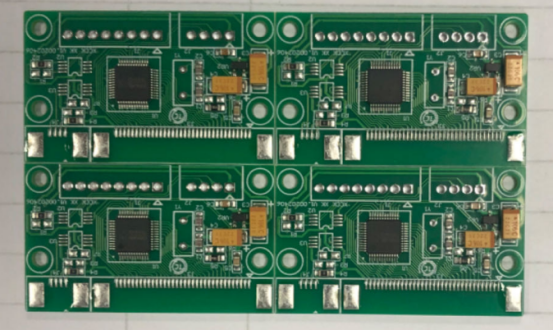
Connector Types and Their Applications
PCB connectors come in various types, each designed to serve specific functions depending on the needs of the application. Understanding these types and their use cases can help you choose the right connector for your design. Below, we explore three of the most common types of PCB connectors: wire-to-board, board-to-board, and cable-to-board connectors.
Wire-to-Board Connectors
Used for connections between wires and PCB: Wire-to-board connectors are designed to connect external wires or cables to a PCB. This type of connector allows for easy and secure attachment of wires to the board, making it an essential component in many electronic systems.
Common applications: These connectors are widely used in a variety of devices where power or signals need to be routed from an external source to the PCB. You’ll often find them in consumer electronics, power supplies, and automotive applications. For example, in power supplies, wire-to-board connectors are used to connect external power sources to the PCB, while in automotive systems, they connect sensors, actuators, and controllers to the main PCB.
Examples:
- Molex connectors: Molex is a leading manufacturer of wire-to-board connectors known for their reliable, secure connections. Their connectors are used in everything from computer motherboards to automotive wiring systems.
- JST connectors: Another common example, JST connectors are known for their compact design and are frequently used in consumer electronics and battery-powered devices.
Board-to-Board Connectors
Used for connecting two PCBs together: Board-to-board connectors are designed to create connections between two separate printed circuit boards, often in a stacked or parallel configuration. These connectors allow for seamless data transfer and power distribution between multiple boards within a system.
Applications: Board-to-board connectors are ideal for modular systems, where different PCBs are connected to form a larger, integrated system. They are commonly used in communication devices, such as smartphones or routers, where multiple PCBs work together to handle different tasks. They also play a critical role in data transfer applications, such as in computer systems where one board might handle processing and another handles memory or input/output.
Examples:
- PCIe connectors: A prime example of board-to-board connectors, PCIe (Peripheral Component Interconnect Express) connectors are used to connect motherboard and expansion cards in computers. These connectors support high-speed data transfer and are integral to modern computing systems.
- FPC/FFC connectors: Flexible PCB connectors, often used in consumer electronics like cameras and mobile phones, where space-saving and flexibility are essential.
Cable-to-Board Connectors
Enables external cables to be connected to a PCB: Cable-to-board connectors are used to connect external cables to a PCB, providing a pathway for power or data to flow into the board. These connectors are particularly useful when devices need to interface with external systems, sensors, or peripheral devices.
Applications: Cable-to-board connectors are typically found in applications involving power connections, sensor integration, and peripheral devices. In power applications, they provide a reliable interface for power cables to connect to the board. For sensor integration, these connectors link various sensors to a PCB for data processing. Additionally, they are used in USB connections, where the connector allows external devices like keyboards, printers, or storage drives to interface with the PCB.
Examples:
- IDC connectors (Insulation Displacement Connectors): Widely used for cable-to-board connections in low-cost, high-density applications, such as data transmission and networking equipment. IDC connectors provide a secure connection without the need for stripping wires.
- USB connectors: USB (Universal Serial Bus) connectors are a well-known example used for cable-to-board connections. They allow external devices like smartphones, computers, and other peripherals to communicate with the PCB, supporting both data transfer and power delivery.
These three types of connectors—wire-to-board, board-to-board, and cable-to-board—serve distinct functions and are chosen based on the specific requirements of the system. By understanding their applications and examples, you can make informed decisions about which type of connector is best suited for your PCB design. Whether you're building a compact consumer device, a complex computer system, or an automotive control module, selecting the right connector ensures optimal performance, reliability, and longevity.
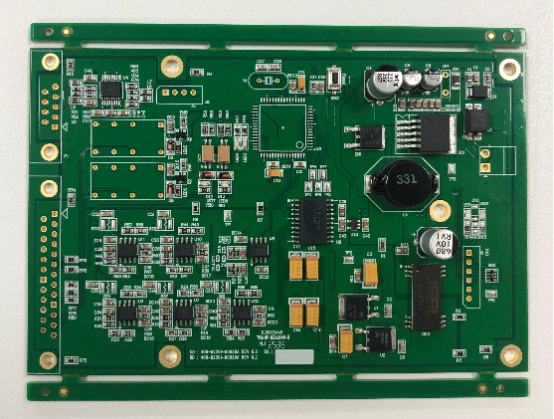
Materials and Durability of PCB Connectors
The materials used in PCB connectors are critical to their performance and longevity. Connectors must be carefully selected based on factors such as electrical conductivity, mechanical strength, and resistance to environmental conditions like temperature, moisture, and chemicals. Below, we explore the materials commonly used in PCB connectors and how they impact durability.
Common Materials Used in Connectors
Metal: Importance of Copper and Gold
Copper is the most commonly used metal in PCB connectors due to its excellent electrical conductivity. It allows for efficient transmission of power and signals with minimal resistance. Copper is also relatively cost-effective, which makes it ideal for many applications.
Gold, while more expensive, is often used in connectors for its superior corrosion resistance and low contact resistance. Gold plating is commonly applied to the pins of connectors, ensuring long-term reliability in environments where corrosion could be a concern. This is particularly important in high-performance applications where stable signal transmission is crucial.
Example: Gold-plated connectors are widely used in high-end computer motherboards and telecommunications equipment to ensure stable data transfer and minimize signal loss.
Plastic: Insulation and Physical Protection
Plastic materials are used primarily for insulation and physical protection of the connector components. These materials prevent electrical shorts and provide structural support. Common plastics used in connectors include polycarbonate, nylon, and PBT (Polybutylene Terephthalate).
The choice of plastic affects the connector's ability to withstand high temperatures and mechanical stresses. For example, nylon is commonly used for its durability and resistance to heat, while polycarbonate is often selected for its high-impact strength and clarity.
Environmental Considerations
The operating environment plays a significant role in material selection. If connectors are exposed to high temperatures, moisture, or chemicals, materials must be chosen to withstand these conditions.
Temperature: Connectors used in high-temperature environments (such as automotive applications) often feature materials like PBT or high-temperature thermoplastics, which can resist degradation.
Moisture and Chemicals: For applications in humid or corrosive environments (such as marine or industrial settings), connectors may be made with stainless steel or plastic materials with added resistance to chemicals and moisture, ensuring that the connector will not degrade over time.
Corrosion Resistance
Types of Corrosion: Oxidation and Galvanic Corrosion
Oxidation occurs when metals, particularly copper, react with oxygen in the air, forming a layer of oxide that can hinder electrical conductivity. Galvanic corrosion happens when two different metals are in contact in the presence of an electrolyte (e.g., water), leading to the more reactive metal deteriorating over time.
In PCB connectors, oxidation can lead to increased contact resistance, which can affect signal integrity and cause connection failures. Similarly, galvanic corrosion can cause long-term damage, especially when connectors are exposed to harsh environmental conditions.
Coatings and Treatments
To protect connectors from corrosion, various coatings and treatments are applied to connector surfaces. Common options include:
- Gold plating: Used to protect copper connectors from oxidation and to improve contact reliability. The thin layer of gold ensures minimal resistance and long-term durability.
- Tin-lead coatings: A more cost-effective alternative to gold plating, tin-lead coatings are often used in connectors designed for less demanding applications. While not as corrosion-resistant as gold, they still offer a reasonable level of protection against oxidation.
These coatings and treatments are essential in ensuring that connectors maintain their electrical properties and remain functional over extended periods, even in challenging environments.
Environmental Impact
Environmental Standards: RoHS, UL Certifications
Many PCB connectors are subject to environmental regulations that limit the use of hazardous materials and ensure product safety. The RoHS (Restriction of Hazardous Substances) directive is one of the most well-known regulations, restricting the use of substances like lead, mercury, and cadmium in electronic devices.
UL (Underwriters Laboratories) certification ensures that connectors meet safety and performance standards, especially in applications where electrical safety is critical, such as in household appliances and industrial machinery.
Eco-friendly Materials and Manufacturing Processes
As environmental concerns grow, there is a push towards using eco-friendly materials and manufacturing processes in connector production. This includes using lead-free solder and recyclable plastics, as well as employing energy-efficient manufacturing techniques.
Example: Companies are increasingly adopting lead-free connectors to comply with RoHS and to reduce the environmental impact of their products. Additionally, bio-based plastics are being explored as alternatives to traditional petroleum-based plastics, helping to lower the carbon footprint of PCB connectors.
The materials chosen for PCB connectors are not only essential for ensuring reliable electrical performance but also impact their durability, resistance to corrosion, and ability to withstand challenging environments. Understanding the trade-offs between material choices allows engineers to select connectors that are best suited for specific applications, while also considering environmental standards and sustainability. By making informed decisions on materials, manufacturers can improve the lifespan and reliability of their products, ensuring long-term performance in a wide range of industries.
Design Considerations for Optimal Connector Placement
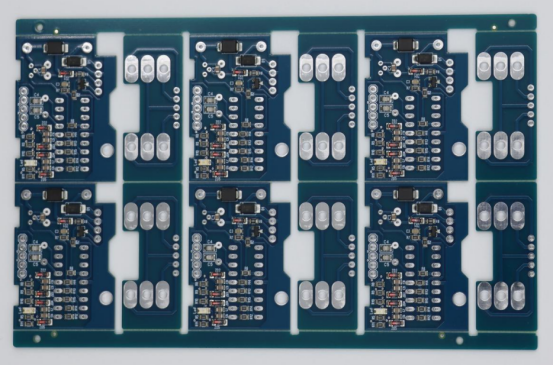
The placement and layout of PCB connectors are critical to ensuring both the functionality and reliability of the overall system. Poor connector placement can result in issues such as signal interference, mechanical failure, or even complete system malfunctions. Below are the key design considerations to ensure connectors are positioned for optimal performance.
PCB Layout and Design Guidelines
Ensuring Proper Trace Widths and Grounding
The layout of PCB traces directly affects how well connectors perform. To maintain signal integrity and prevent power loss, it's essential to calculate proper trace widths for the connectors. This ensures that the trace can carry the required current without overheating or excessive voltage drop.
Grounding is another critical aspect. Adequate grounding helps reduce electromagnetic interference (EMI) and ensures that connectors provide stable signals. Designers should ensure that each connector has a dedicated ground plane to minimize noise and improve signal quality.
Example: For high-power connectors, such as those used in power supplies, traces should be wider to handle higher current without overheating, and multiple ground planes may be needed to reduce interference.
Connector Placement for Optimal Signal Integrity
Proper placement of connectors is essential for minimizing cross-talk and ensuring that signals are transmitted cleanly. Connectors should be placed with sufficient distance from other high-speed traces to prevent unwanted signal coupling that could degrade performance.
For high-frequency circuits, keeping connectors away from noise sources like power planes or other high-speed components is key to maintaining signal integrity. Using shielded connectors or placing connectors in zones with minimal cross-talk is also recommended.
Example: In a high-speed digital design, such as a motherboard, connectors for USB or PCIe should be placed away from noisy components like power supplies to prevent signal degradation.
Thermal Management: Keeping Connectors Away from Heat-Sensitive Components
Thermal management is another critical design consideration, especially when connectors are handling high currents or are located near heat-generating components. Excessive heat can cause connector failure, degrade materials, and affect overall performance.
Designers should place connectors away from heat-sensitive components like processors, power regulators, or resistors that generate significant heat. Additionally, heat sinks, thermal vias, and proper airflow must be incorporated into the PCB design to help manage temperature.
Example: In a laptop or server motherboard design, connectors like USB or HDMI should be placed away from CPU sockets or power regulators to prevent thermal damage or degradation of signal quality.
Connector Spacing
Avoiding Interference: How Too-Tight Spacing Can Lead to Short Circuits or Mechanical Failure
One of the most common design mistakes is placing connectors too closely together, which can cause electrical interference, short circuits, or mechanical failure due to insufficient spacing. Tight connector placement may lead to accidental contact between connector pins or between traces, resulting in signal degradation, failure to make proper connections, or even damage to the PCB.
It's important to account for clearance requirements to ensure that connectors are spaced adequately, especially in high-density designs. These clearances help prevent arcing, signal crosstalk, and other issues that can compromise system reliability.
Example: In a high-speed data interface like PCIe, connectors must have sufficient space between them to avoid short circuits and ensure the signals travel cleanly.
Use of Clearance Standards to Ensure Reliable Connections
Clearance standards are essential to ensure reliable connector operation. These standards define the minimum distance between connector pins, traces, and other components on the PCB. Adhering to these standards ensures that connectors work as intended and reduces the risk of short circuits, mechanical failure, or interference.
IPC-2221 and other industry guidelines provide specific clearance values based on factors such as voltage, current, and type of connector used. Following these standards ensures connectors can handle their respective loads without compromising the overall design.
Example: For high-voltage connectors, such as those in power supplies or automotive systems, clearance standards must be followed rigorously to prevent arcing or accidental short circuits. For low-voltage connectors, these standards may be more relaxed, but they still play a crucial role in ensuring the reliability of the connection.
By considering these PCB layout guidelines and connector spacing standards, you can significantly enhance the reliability, signal integrity, and overall performance of your PCB. Proper planning and placement ensure that connectors work as designed, helping to avoid costly errors and delays during the manufacturing or testing phase. Whether you're designing high-speed circuits, power supplies, or compact consumer devices, following these best practices is essential for creating robust and efficient PCBs.
Assembly and Manufacturing Considerations
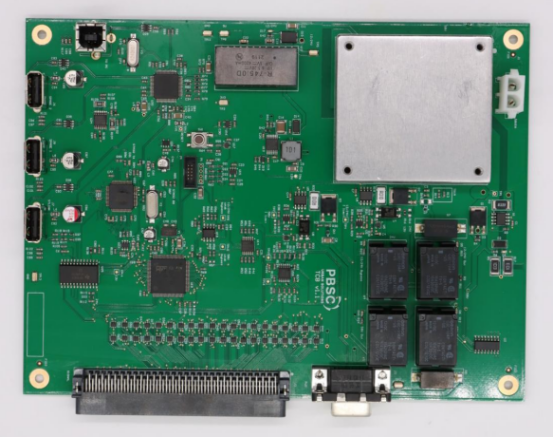
When it comes to assembling PCB connectors, the choice of soldering techniques, the decision between automated vs. manual assembly, and a solid quality control process are essential to ensuring reliable, high-performance connections. Each of these elements plays a role in ensuring that your connectors are correctly mounted and tested for long-term durability.
Soldering Techniques for PCB Connectors
Wave Soldering vs. Hand Soldering
Wave soldering is a highly efficient technique commonly used for automated assembly in high-volume production. In this process, a PCB with connectors and other components is passed over a wave of molten solder. The solder adheres to the exposed metal pads, creating reliable solder joints quickly. This method is ideal for through-hole connectors and high-volume production runs, where consistency and speed are essential.
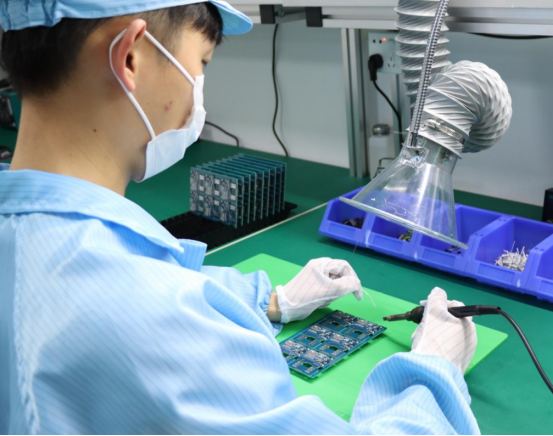
Hand soldering , on the other hand, is typically used for low-volume production or prototype assemblies. It involves manually applying solder to each joint using a soldering iron. Hand soldering offers more flexibility, making it suitable for complex, low-density PCBs or when custom connectors need to be attached.
Best practices for avoiding cold solder joints: Regardless of the method, it’s crucial to avoid cold solder joints, which occur when solder doesn’t flow properly, leading to weak or unreliable connections. To prevent this, ensure the soldering iron is set to the correct temperature, use high-quality solder, and make sure each joint is fully heated before adding solder. Additionally, flux can help reduce oxidation and improve the quality of the solder joint.
Automated vs. Manual Assembly
The Role of Automation in High-Volume PCB Assembly
Automation plays a key role in high-volume PCB assembly. Automated processes like pick-and-place machines can place connectors precisely and quickly onto the PCB, ensuring consistency across thousands of units. For example, automated surface-mount technology (SMT) allows connectors like USB ports and RJ45 connectors to be placed on the board efficiently. Automation is highly beneficial for scalability, speed, and ensuring that tight tolerances are maintained during production.
Automation is also more cost-effective for large-scale production, as it minimizes human error, reduces labor costs, and improves overall throughput.
Manual Assembly for Low-Volume, Custom Designs or Repairs
While automation is ideal for mass production, manual assembly is often preferred for low-volume runs, custom designs, or repairs. In these cases, the design may be too specialized or small in quantity to justify the use of automated equipment.
Hand assembly allows for greater flexibility, such as in prototype development where connectors may need to be swapped or adjusted frequently. It’s also useful when custom connectors or specific configurations are required, which may not be supported by automated machinery.
Example: If a designer is working on a custom PCB for a unique device, they might use manual soldering to attach a specialized board-to-board connector that wouldn’t be feasible in a high-volume setting.
Quality Control and Testing
Visual Inspection and Electrical Testing
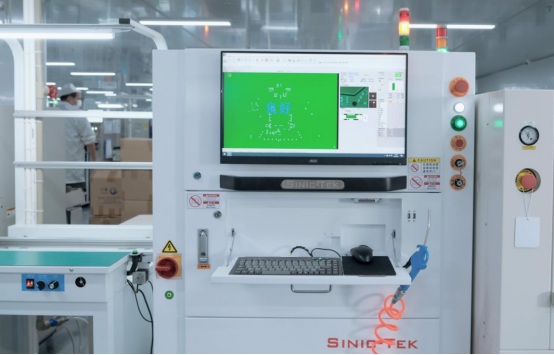
Visual inspection is the first line of defense in ensuring that connectors are correctly mounted. By using magnification or automated optical inspection (AOI), manufacturers can check for issues like misalignment, solder bridging, or broken connectors. This helps identify assembly issues early in the process.
Electrical testing is critical to verify the functionality of the PCB connectors. Continuity testing ensures that electrical paths are properly established and that there are no breaks in the connection. Insulation resistance testing checks that there are no unintended conductive paths between components, ensuring safety and preventing short circuits.
These testing methods help ensure that connectors perform correctly before moving on to more rigorous environmental testing.
Environmental Testing: High/Low Temperature, Vibration, and Moisture Resistance
Connectors must also be tested for their environmental resilience. For connectors to perform in harsh conditions, such as in automotive, aerospace, or outdoor electronics, they need to be tested for their ability to withstand extreme temperature changes, vibration, and exposure to moisture.
High and low-temperature testing ensures that connectors won’t fail when exposed to temperature extremes. For example, automotive connectors are tested to endure both freezing and high temperatures without compromising performance.
Vibration testing simulates conditions where connectors are exposed to constant or sudden movements, such as in machinery or vehicles. This ensures that board-to-board and wire-to-board connectors stay secure under physical stress.
Moisture resistance testing ensures that connectors maintain functionality even when exposed to humidity or direct water contact. This is particularly important for outdoor electronics, and marine applications.
Example: In the automotive industry, IP67-rated connectors are often used to ensure that electrical components remain functional even when exposed to water or dust.
Effective assembly and manufacturing processes are vital for ensuring the longevity and reliability of PCB connectors. By choosing the right soldering technique, understanding when to use automated vs. manual assembly, and incorporating rigorous quality control measures, manufacturers can ensure that connectors are properly placed, tested, and capable of performing in real-world environments. Whether for high-volume production or custom designs, these considerations help guarantee the success of your PCB connectors in diverse applications.
Maintenance and Troubleshooting of PCB Connectors
PCB connectors, like any other component, require periodic maintenance and attention to ensure reliable performance. Over time, connectors may show signs of wear, leading to potential failures that can disrupt the functioning of the entire system. Knowing how to identify these signs and troubleshoot connector issues is crucial for maintaining the longevity and integrity of your devices.
Signs of Connector Failure
Corrosion, Wear and Tear, and Physical Damage
Corrosion is one of the most common causes of connector failure. It typically occurs when moisture, dust, or chemicals come into contact with the metal parts of the connector, leading to oxidation or rust. This can degrade the quality of the electrical connection and, over time, cause the connector to fail completely.
Wear and tear can happen with connectors that are frequently mated and unmated, such as in connectors used in high-cycle applications like USB ports or automotive connections. Over time, the mechanical parts of the connector may degrade, leading to poor contact.
Physical damage such as bent pins, broken clips, or cracked housings can also lead to failure. Even a minor physical disruption can cause the connector to no longer make proper contact with the PCB or cable, resulting in a loss of functionality.
Electrical Issues: Intermittent Connection, Signal Loss
Intermittent connections are a clear sign of connector failure. If a connector fails to make a consistent connection, it may cause the system to function erratically, with devices powering on and off or data transmission being interrupted. This issue often arises due to poor contact, corrosion, or wear of the pins inside the connector.
Signal loss is another indication that the connector is failing. In high-speed or high-frequency applications, degraded signal integrity can result in data loss, slower speeds, or complete failure of the system to communicate with external devices.
Example: In a networking device, intermittent connection or signal loss through an RJ45 connector could indicate pin wear, corrosion, or an electrical fault within the connector.
Troubleshooting Connector Issues
Checking for Proper Soldering and Securing Connections
A common cause of connection issues is poor soldering. It is important to ensure that connectors are correctly soldered to the PCB with firm, clean joints. Cold solder joints, where the solder does not flow properly, can lead to unreliable connections and should be reworked.
Inspect each solder joint under magnification to check for any signs of poor connection, such as cracked or insufficient solder. If necessary, reflow the solder or apply new solder to ensure a secure connection.
Additionally, ensure that connector housings are firmly seated and locked into place. If the connector is not secured properly, it may cause loose connections or intermittent functionality.
Using Tools like Multimeters and Continuity Testers to Diagnose Issues
Multimeters are essential tools for diagnosing electrical issues in PCB connectors. Use a multimeter to check for continuity, which will help you determine if the electrical path is intact through the connector. A lack of continuity indicates that there is a break in the connection, likely due to a faulty solder joint or internal connector damage.
Continuity testers are simpler than multimeters but are just as effective for basic checks. When testing a connector with a continuity tester, listen for the beep, which indicates that the connector is properly conducting electricity. If the tester does not beep, you may have an issue with the connector's internal pins or soldering.
Example: When troubleshooting a USB connector, use the multimeter to test each pin's continuity against the board traces. A lack of continuity on one of the data pins could indicate a broken or corroded connection.
Cleaning and Maintenance
Regular cleaning of connectors can help prevent corrosion and ensure smooth functionality. Use isopropyl alcohol and a soft brush to gently clean the pins and contacts. Be careful not to damage any delicate parts during cleaning. Additionally, ensure that connectors are kept free of dust, moisture, and other contaminants that could lead to corrosion or poor contact.
Understanding the signs of connector failure and knowing how to effectively troubleshoot issues are key skills for maintaining the performance and longevity of PCB connectors. Regular inspection, careful soldering, and the use of diagnostic tools like multimeters and continuity testers can help ensure that connectors remain reliable over time. By staying proactive in monitoring and addressing connector issues, you can prevent potential failures and minimize downtime in your system.
Conclusion
Selecting the right PCB connector is crucial for ensuring both electrical reliability and mechanical durability. Whether you're designing high-speed communication systems, automotive electronics, or consumer devices, the performance of your connectors can significantly impact the overall functionality of the system. It’s essential to choose connectors that meet the required voltage, current, and environmental considerations while also providing secure, long-lasting connections.
As technology continues to evolve, so too will the design and capabilities of PCB connectors. Advances in materials, miniaturization, and automation will lead to even more efficient, durable, and compact connectors, allowing them to handle higher frequencies, smaller footprints, and more challenging environments. The future of PCB connectors will undoubtedly focus on improving signal integrity, enhancing reliability, and meeting the demands of increasingly complex electronic systems.
If you have further questions or would like more insights on PCB connectors, feel free to contact PCBMASTER . As an experienced PCB supplier, we are always ready to provide professional advice tailored to your needs.
FAQs
1. What are the most common types of PCB connectors and their uses?
The most common types of PCB connectors include:
- Wire-to-Board Connectors: These connectors are used to connect external wires to a PCB. They're commonly found in consumer electronics, power supplies, and automotive applications.
- Board-to-Board Connectors: These connectors link two separate PCBs, often in stacked configurations. They’re widely used in modular systems, communication devices, and for data transfer between different parts of a system, such as in PCIe connectors in computers.
- Cable-to-Board Connectors: These connectors enable external cables to be connected to a PCB. They’re used in power connections, sensor integration, and peripheral devices. Examples include IDC connectors and USB connectors.
2. How can I choose the right connector for my PCB design?
Choosing the right connector depends on several factors:
- Electrical Requirements: Consider the voltage, current, and signal type your connector needs to support. For example, high-power connectors for power supplies need to handle higher currents.
- Physical Space: For compact devices, select smaller connectors that fit within limited space constraints.
- Environmental Conditions: If your PCB will operate in harsh environments (e.g., high humidity or extreme temperatures), choose connectors with corrosion-resistant materials or protective coatings.
- Mechanical Durability: If connectors will be frequently mated and unmated, consider durable options like spring-loaded connectors that can withstand repetitive use.
3. What is the importance of connector material in PCB reliability?
The material of the connector plays a crucial role in its reliability. Materials like copper are commonly used for good conductivity, while gold plating is often applied to prevent corrosion and reduce contact resistance. For mechanical durability, materials like nylon or PBT are used for the housing to provide protection against physical wear. Corrosion-resistant materials are critical in environments exposed to moisture, chemicals, or high humidity, as they prevent degradation of the connector's electrical and mechanical performance.
4. How can I prevent PCB connector failures due to corrosion?
To prevent connector failures caused by corrosion:
- Use corrosion-resistant materials: Gold plating, tin-lead coatings, and stainless steel are common choices for connectors exposed to moisture or chemicals.
- Apply protective coatings: Conformal coatings or epoxy coatings can protect connectors from moisture and environmental contaminants.
- Ensure proper sealing: For connectors used in harsh environments (e.g., marine or automotive), ensure that connectors are sealed properly to prevent moisture ingress.
- Regular cleaning and maintenance: Clean connectors periodically to remove dust, debris, and moisture that may lead to corrosion.
5. What are the best practices for assembling PCB connectors?
To ensure the proper assembly of PCB connectors:
- Follow the correct soldering techniques: Use wave soldering for high-volume production or hand soldering for prototypes or low-volume runs. Always ensure clean, solid solder joints to avoid cold solder joints.
- Check for proper connector placement: Ensure connectors are placed with sufficient spacing to avoid mechanical failure or short circuits. Follow clearance standards to maintain reliable connections.
- Use the correct tools for diagnostics: Tools like multimeters and continuity testers help check for electrical continuity and ensure proper functioning.
- Inspect for physical damage: Regularly check for signs of wear, bent pins, or broken connectors, which could affect the performance.
About the Author

Carol Luo
PCB Design EngineerI'm Carol, a PCB Engineer at PCBMASTER with experience in PCB design and manufacturing engineering since 2018. I focus on translating engineering requirements into reliable PCB solutions, with expertise in stack-up design, material selection, and design-for-manufacturing (DFM). I share practical engineering insights from real-world PCB design and production experience.
Visit Carol Luo's Profile
