Understanding PCB Size: How to Choose the Right Dimensions for Your Project
Choosing the right PCB size is more than just a design decision; it’s a critical factor that can influence the performance, cost, and functionality of your electronic project. Whether you're building a compact wearable device or a complex industrial system, the dimensions of your PCB play a pivotal role in ensuring your design meets both technical and practical requirements. While it might seem like a minor detail, the size of a PCB affects everything from component placement and signal integrity to heat management and overall manufacturing costs. Understanding the factors that determine the ideal PCB size can help you make smarter design choices, avoid costly mistakes, and achieve the best balance between performance and efficiency. In this guide, we'll explore the key considerations to help you select the perfect PCB size for your project—no matter how big or small.
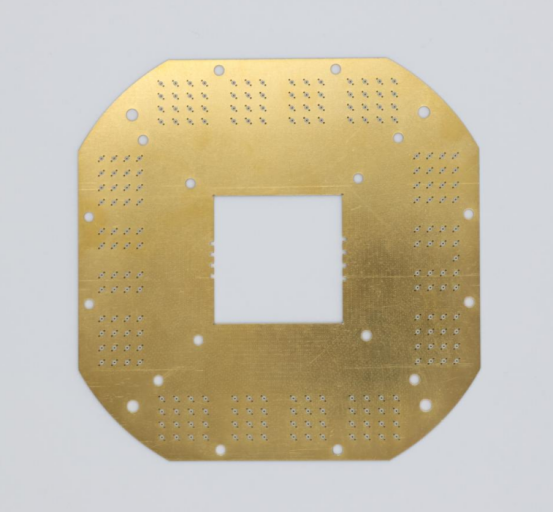
Why is Choosing the Right PCB Size Crucial for Your Project?
Choosing the right PCB size is critical because it directly impacts your project's performance, efficiency, and cost-effectiveness. Whether you’re designing a compact wearable or a high-performance industrial system, the size of your PCB affects everything from signal quality and heat dissipation to manufacturing expenses. Understanding how the size influences these factors ensures that your design meets both technical and budgetary requirements while delivering optimal results.
How PCB Size Affects Performance and Efficiency
A PCB that is too small may not provide enough space for the components, leading to poor performance or overheating. On the other hand, a PCB that is too large might cause inefficiency by wasting space or increasing production costs.
- Signal Integrity: The size of a PCB affects how electrical signals travel through it. If components are placed too close together on a small PCB, the signals can interfere with one another, causing errors and reduced performance. Larger PCBs provide more space for routing electrical signals, reducing interference and improving signal quality. This is especially important in high-speed devices like computers or communication equipment.
- Heat Dissipation: Larger PCBs generally allow for better heat distribution. In smaller PCBs, heat can accumulate more quickly, which may lead to components overheating and potentially failing. A larger PCB offers more surface area for heat to dissipate, which is particularly important in high-performance applications like gaming systems or industrial machines that generate a lot of heat.
- Overall Performance: A well-sized PCB ensures the components are placed optimally, improving the overall functionality and reliability of the device. For instance, smaller PCBs might work well for compact devices like smartphones, but larger PCBs are necessary for more complex systems, like servers or medical devices, to handle multiple components and advanced features.
Example: Consider the difference between a smartphone and a laptop. The smartphone uses a smaller PCB to keep the device compact, but the PCB design must be efficient to handle the power requirements of the small space. A laptop, on the other hand, uses a larger PCB to manage higher power components, provide better thermal control, and support a broader range of functionalities, such as faster processors and more memory.
Cost Implications of PCB Size
The size of the PCB has a direct impact on the costs of manufacturing and assembly. Larger PCBs require more materials, take up more space during production, and often need more complex assembly processes. This can lead to higher costs. On the other hand, smaller PCBs tend to be more cost-efficient in terms of material usage and production time.
- Manufacturing Costs: Larger PCBs are more expensive to produce because they require more raw materials and longer processing times. Additionally, they may need more advanced manufacturing techniques, especially if the design includes fine-pitch components or complex multilayer structures. Smaller PCBs, while they may be cheaper in terms of material, can become costly if the design is intricate or requires specialized production techniques.
- Assembly Time: A smaller PCB might have fewer components, but placing them in a compact area can be more time-consuming during assembly. On the other hand, larger PCBs can be easier to assemble in some cases due to more space between components, but the increased size can result in longer assembly times and higher labor costs.
Example: In a consumer electronics project, downsizing a PCB can reduce the overall material cost and assembly time. For instance, when designing a smartwatch PCB, keeping the size small is crucial for cost savings and quick assembly. In contrast, designing a desktop computer motherboard requires a larger PCB, but it’s justified by the more complex and powerful components needed, which ultimately lead to higher costs.
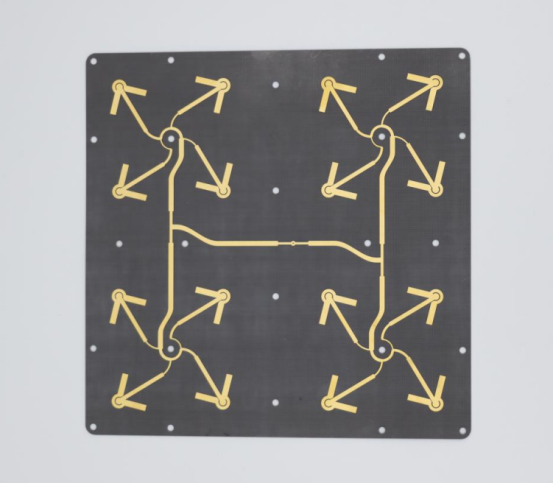
How Does PCB Size Impact Your Manufacturing Process?
The size of your PCB directly affects the manufacturing process and assembly efficiency. Larger or smaller PCBs can present different challenges, from equipment limitations to the complexity of automated assembly. Understanding how PCB size impacts these factors is crucial for optimizing production time, cost, and quality, ensuring that your design is both feasible and efficient to produce.
Manufacturing Limitations Based on PCB Size
The size of a PCB directly impacts its manufacturing process. There are certain standard size limits that affect the feasibility of production, which can vary depending on the equipment and technology used by manufacturers.
- Standard PCB Size Limits: In the PCB manufacturing industry, there are typical size ranges for boards, with many production facilities optimized for standard sizes such as 100mm × 100mm, 200mm × 250mm, or 300mm x 400mm. While it is possible to manufacture PCBs of different sizes, boards that fall outside these common dimensions can face difficulties, such as longer production times or the need for special handling. Larger boards may require more advanced equipment, while smaller boards may be challenging to manage due to handling constraints.
- Equipment Constraints: PCB production equipment, like etching machines and soldering machines, are often built to handle specific board sizes efficiently. When your PCB design exceeds the equipment's capacity, either larger machines must be used, or special setups will be required. These factors can increase both time and cost.
Example: A large PCB used in industrial machines may need special routing equipment to handle its size, while a smaller PCB for consumer electronics might fit within the standard size constraints of common production lines, making it easier and faster to manufacture.
Assembly Line Efficiency and Size Considerations
The size of the PCB also affects the efficiency of the assembly line and how well automation processes can be implemented. A smaller PCB may streamline the assembly process due to its compactness, while a larger PCB may present challenges in terms of speed, complexity, and handling.
- Assembly Time: Smaller PCBs are easier to manage during assembly because they are lightweight and require less time to place components. However, a smaller PCB can also lead to more complicated assembly steps, particularly if the design is dense with tiny components. Conversely, larger PCBs offer more space, which may simplify the assembly process by reducing the chance of mistakes and allowing for easier placement of larger components, but they take longer to handle and test.
- Automation Feasibility: Automation plays a significant role in modern PCB assembly lines. Larger PCBs may require custom fixtures or manual intervention at certain stages of assembly, reducing the degree of automation. On the other hand, smaller boards often fit more easily into automated assembly lines, leading to faster throughput and reduced labor costs.
Example: In a smartphone PCB assembly, the small size of the board allows for quick automation of component placement and soldering. However, the assembly of larger PCBs in high-end computing devices, like a server motherboard, may require additional steps or special fixtures to ensure components are correctly placed without damaging the board.
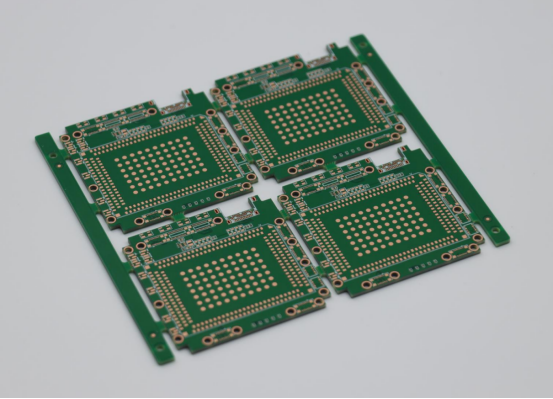
What Factors Should You Consider When Choosing PCB Size?
When choosing the right PCB size for your project, several key factors must be considered to ensure optimal performance and efficiency. The space required for each component, the complexity of your design, and how well you manage thermal dissipation all play a crucial role in determining the ideal size. By understanding these factors, you can create a PCB that meets both functional and practical requirements while avoiding common design issues.
Component Placement and Space Requirements
When choosing the size of your PCB, it's essential to understand the space needed for each component, such as resistors, capacitors, and chips. The size of the PCB determines how much room is available for these components and how they are arranged. Properly accounting for component space ensures that the design is functional and that the components can operate effectively without interference.
- Importance of Space: Each component requires a certain amount of space to function properly, both for electrical connections and to avoid overheating. Components like microchips need precise placement to maintain signal integrity, while capacitors need sufficient space to ensure safe operation. If components are packed too tightly together, it may cause issues like signal interference or component failure.
Example: A compact design for a smartphone PCB requires tight spacing between components to fit the limited available space while ensuring that components like the processor, memory, and battery are properly connected. In contrast, a larger design like a TV motherboard has more space to distribute the components, which helps prevent interference and overheating.
Design Complexity and Layout Considerations
The complexity of the design directly affects the size of the PCB. More intricate designs require more space for routing traces (the pathways that connect different parts of the circuit) and placing components. Complex PCBs often need advanced layout strategies to maximize space while ensuring efficient performance.
- Intricate Designs: When designing PCBs for complex devices, such as smartphones or computers, you might need a more detailed and layered design. This requires not only more space but also careful planning of component placement and trace routing to ensure the board functions as expected.
- Impact of High-Density Designs: High-density designs , such as those used in advanced technology like 5G devices or high-performance processors, often demand compact layouts. These designs might push the limits of PCB size by requiring smaller components, precise placement, and advanced manufacturing techniques like multi-layer PCBs to fit all the necessary components.
Example: A smartwatch has a high-density design, meaning the PCB must fit tiny components in a small space without compromising performance. On the other hand, a desktop computer's motherboard can have a larger PCB with more space between components due to the less restricted design.
Thermal Management and Heat Dissipation
Thermal management is another key consideration when choosing PCB size. The size of the PCB influences its ability to distribute and dissipate heat generated by the components. A well-designed PCB allows heat to be efficiently spread, preventing overheating and ensuring that the components function properly.
- Thermal Performance: Larger PCBs generally have more surface area, which helps in better heat dissipation. For high-power applications, such as in servers or gaming systems, using a larger PCB can provide the space needed for heat sinks, fans, and other cooling mechanisms. Smaller PCBs, on the other hand, may not have as much space for heat management, leading to the potential need for advanced cooling solutions.
Example: A smartphone PCB is much smaller and may require advanced techniques like heat spreaders or thermal vias to manage heat, as there's limited space for traditional cooling methods. In contrast, a server motherboard is larger and can have built-in cooling features like dedicated heat sinks or multiple layers designed for thermal efficiency.
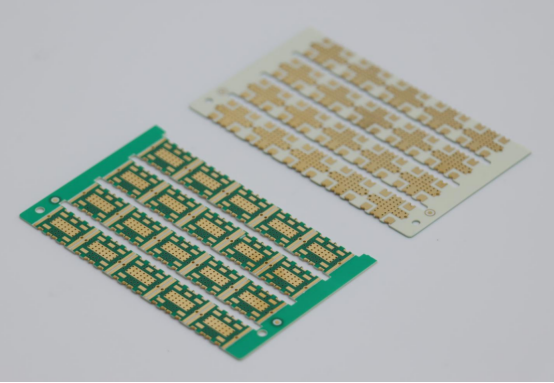
What Are the Common PCB Sizes for Different Applications?
PCB sizes vary significantly depending on the application, with consumer electronics like smartphones and laptops typically using smaller, more compact designs, while industrial and automotive applications require larger, more robust PCBs. Understanding the common sizes for each type of device helps ensure optimal performance, space utilization, and durability for the intended application.
Standard PCB Sizes for Consumer Electronics
Consumer electronics, such as smartphones, laptops, and household gadgets, typically use PCBs that are designed to be compact yet highly functional. These devices require efficient use of space and must accommodate a variety of components in a limited area. The size of the PCB plays a crucial role in balancing performance, power consumption, and design aesthetics.
- Common PCB Sizes in Smartphones and Laptops: In smartphones, the PCB size is relatively small, often ranging between 50mm × 50mm and 100mm × 100mm. Laptops, being larger devices, use slightly bigger PCBs, typically ranging from 200mm × 250mm to 300mm × 300mm. The exact size depends on the model and the specific components required, such as the motherboard, processors, and memory.
- Household Gadgets: For smaller household devices like smart speakers or vacuum cleaners, PCB sizes are often compact, generally falling between 50mm x 60mm and 150mm × 150mm. These sizes allow for a good balance between performance and miniaturization.
Example: A smartphone PCB is typically much smaller and compact, designed to fit within the thin body of the device. For instance, the iPhone 12 uses a PCB that measures about 75mm × 75mm, while a tablet like the iPad requires a larger PCB, often around 200mm × 200mm, to support a larger screen and more power-hungry components like additional RAM and processors.
PCBs for Industrial and Automotive Applications
PCBs used in industrial and automotive applications are designed for rugged environments and often have higher performance requirements compared to consumer electronics. These devices need to withstand extreme conditions, including high temperatures, vibrations, and moisture. The size of the PCB must be suitable for the overall design and functionality of the device.
- Size Considerations for Rugged and High-Performance Devices: Industrial and automotive PCBs typically come in larger sizes due to the complexity and number of components required. For example, a PCB used in industrial machinery might measure anywhere from 150mm × 200mm to 300mm × 500mm, depending on the complexity of the system. These larger PCBs accommodate more components, sensors, and other devices crucial for performance and durability.
- Automotive vs. Household Application: A PCB used in an automotive sensor system may be relatively small in size (around 50mm × 50mm) but must be highly durable, with special coatings to resist heat and moisture. On the other hand, a PCB used in a home appliance, such as a microwave, is typically larger (about 150mm × 200mm) and designed to handle more power-intensive components like high-voltage circuits and large displays.
Example: In the automotive industry, PCBs used in engine control units (ECUs) or airbag sensors are designed to be compact but very robust, with a focus on ensuring reliability under harsh conditions. These typically range between 60mm × 60mm and 120mm × 120mm. In contrast, a microwave PCB may be larger, as it needs to support high-voltage circuits and other components such as the display, power control board, and motor driver circuits.
Conclusion
Choosing the right PCB size is essential to ensure the success of your project. The size should align with your specific needs, whether you’re designing a compact consumer device or a robust industrial system. Consider the space required for each component, the complexity of the design, and thermal management needs. A smaller PCB may offer space efficiency, but a larger one may provide better heat dissipation and performance for high-power applications. It's also important to balance cost considerations with design requirements to stay within budget while achieving optimal functionality.
As a trusted PCB supplier, PCBMASTER specializes in providing high-quality PCBs tailored to meet the unique needs of each project. With years of experience, PCBMASTER ensures that every design is optimized for both performance and cost, helping clients bring their electronic devices to life efficiently and reliably. When selecting the right PCB size, a thoughtful approach to design, performance, and cost will help you achieve the best results for your specific application.
FAQ
What is the best PCB size for a small portable device?
For small portable devices like smartphones or wearable devices, the ideal PCB size typically falls between 50mm × 50mm and 100mm × 100mm, depending on the complexity and components involved. The key consideration for these devices is compactness and space efficiency. A compact design ensures the device remains lightweight and easy to carry while still accommodating necessary components like processors, memory, and battery connections.
Layout Advice:
- Focus on high-density design: For small devices, components need to be placed closely together while ensuring that signal integrity and thermal dissipation are not compromised.
- Use multi-layer PCBs: Multi-layer designs help optimize the use of available space, allowing for more components in a smaller area.
- Prioritize thermal management: Compact devices generate heat, so it’s important to include cooling elements or heat spreaders if space allows.
How do I choose PCB size for a high-performance circuit?
For circuits with demanding specifications, such as those found in industrial or automotive applications, selecting the right PCB size requires a balance between performance, power requirements, and durability. These PCBs tend to be larger than those in consumer electronics, typically ranging from 150mm × 200mm to 300mm × 500mm, or even larger depending on the application.
Guidelines:
- Consider the number of components: High-performance circuits need more space to fit high-speed processors, memory, and other complex components. Larger PCBs can handle more components and provide more space for routing traces and power distribution.
- Optimize for heat management: Larger PCBs have more surface area, helping dissipate heat generated by high-power components. For automotive or industrial applications, heat dissipation is crucial.
- Ensure ruggedness: For industrial and automotive uses, the PCB must be durable and capable of withstanding harsh environments. A larger board can support the required thermal pads and protection mechanisms.
Can a smaller PCB impact the overall reliability of a device?
Yes, smaller PCBs can introduce several potential reliability trade-offs, primarily due to heat buildup and mechanical stress. When components are tightly packed, it can lead to a few challenges:
- Heat Accumulation: A smaller PCB may struggle to dissipate heat efficiently, especially when power-hungry components are placed too close together. Overheating can degrade component performance and shorten their lifespan.
- Mechanical Stress: Smaller PCBs are more vulnerable to flexing and warping, which can cause solder joints to crack or fail. This is particularly problematic in devices that experience physical stress or vibration, such as wearables or automotive systems.
Therefore, while smaller PCBs are essential for space-saving, they require careful consideration of thermal management solutions and rigidity enhancements, like adding more layers or using flexible materials in some cases.
How do different PCB sizes affect manufacturing lead times?
PCB manufacturing lead times are directly influenced by the size of the board. Larger PCBs take longer to produce for several reasons:
- Handling and Production Time: Larger PCBs require more time for etching, soldering, and testing, as they may involve more components and more complex routing.
- Equipment Constraints: Standard production equipment is optimized for certain board sizes, and any board size that deviates from these standards can require custom setups or more careful handling, increasing production time.
- Material Usage and Waste: Larger boards use more materials, which can affect the overall production time due to more extensive material management and higher waste rates.
Smaller PCBs, on the other hand, may benefit from faster processing and less material waste, but they may require more intricate assembly steps, especially if the design is highly compact.
What software tools can help in determining the right PCB size for my design?
Several PCB design tools can assist in determining the optimal size for your design by automating calculations and providing features to simulate and test various size configurations:
- Altium Designer : A powerful PCB design software that offers detailed layout tools and allows designers to test different PCB sizes based on component placement and routing constraints. It also integrates thermal analysis and signal integrity checks.
- KiCad : A free, open-source PCB design tool that supports multi-layer designs and helps calculate the size of the board based on components and layout. It is particularly useful for smaller projects or low-budget designs.
- Autodesk Eagle : Another popular PCB design tool with features for both beginner and professional designers. It helps optimize the PCB size by automatically adjusting for available space and routing requirements.
- EasyEDA : A web-based PCB design tool that simplifies the sizing process, particularly for smaller projects. It offers online simulation and testing to determine the best dimensions for the design before physical production.
These tools allow you to adjust the PCB size dynamically, ensuring the design is functional, manufacturable, and efficient for your specific application.
About the Author

Carol Luo
PCB Design EngineerI'm Carol, a PCB Engineer at PCBMASTER with experience in PCB design and manufacturing engineering since 2018. I focus on translating engineering requirements into reliable PCB solutions, with expertise in stack-up design, material selection, and design-for-manufacturing (DFM). I share practical engineering insights from real-world PCB design and production experience.
Visit Carol Luo's Profile