Complete Guide to Flexible PCB Care: Storage, Inspection and Repairs
FPCs (Flexible Printed Circuits) are widely used in modern electronic devices, from smartphones to medical equipment, valued for their lightweight, flexible, and efficient characteristics. However, due to the delicate nature of FPC materials, they are prone to damage during production, use, and storage. This article will explore the best practices for handling and storing FPCs to prevent damage, as well as how to regularly inspect and repair damaged FPCs to ensure long-term, stable device performance.
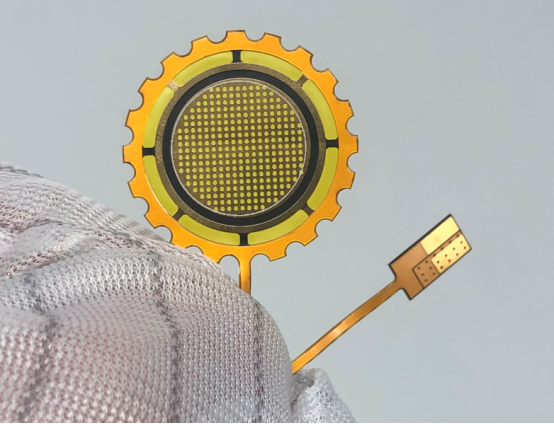
Proper Handling and Storage Practices to Avoid FPC Damage
Proper handling and storage of PCs are critical to preserving their functionality and preventing damage. FPCs, being delicate, require specific care throughout their life cycle—from the moment they are handled in manufacturing to how they are stored long-term. Below are some best practices that ensure FPCs remain undamaged.
Best Handling Practices for FPCs
Handling by Edges to Avoid Stress on the Core
When handling FPCs, it is crucial to always grip them by the edges. FPCs have thin, flexible structures that can be easily bent or stressed if not handled properly. Gripping the center of an FPC can cause physical stress on the core materials, leading to cracks or fractures. By holding only the edges, you distribute pressure more evenly, reducing the risk of damage. This technique also prevents deforming or compromising the integrity of the circuits within the FPC.
Real-life Example: Imagine bending a paper clip. If you apply pressure to the middle, it will snap. But if you apply pressure at the ends, it is less likely to break. This same principle applies to handling FPCs.
Use of Gloves or Tools to Prevent Fingerprint Contamination
Fingerprints contain oils and moisture that can contaminate the surface of an FPC. These contaminants can cause corrosion, weakening the FPC over time. Wearing lint-free gloves or using non-contact tools is essential to avoid direct skin contact. Gloves made from nitrile or cotton are highly recommended because they prevent the transfer of oils and dirt onto the circuit.
Example: Just like wearing gloves when handling delicate objects like artwork or precious jewelry, gloves are necessary when dealing with FPCs to maintain their quality and ensure their longevity.
Using Strain Relief Techniques for Connectors
FPCs are often connected to other devices through small connectors, which are vulnerable to damage when excessive force is applied. Strain relief techniques are designed to reduce the stress placed on connectors, ensuring that the circuit does not break at these critical points. Strain relief can be applied by using clips or special mounts that prevent tension on the connectors, ensuring they remain secure and intact.
Step-by-Step:
- Install a strain relief clip or holder next to the connector.
- Ensure that no excessive tension is placed on the connector when the FPC is being connected to other devices.
- Use flexible connectors that minimize the chances of damaging the FPC when it bends.
These simple techniques can dramatically extend the lifespan of the FPC.
Storage Conditions to Preserve FPCs
Importance of Anti-Static Bags and Humidity-Controlled Environments
FPCs are highly sensitive to electrostatic discharge (ESD) , which can cause permanent damage to the circuit pathways. When storing FPCs, always use anti-static bags that are designed to dissipate static electricity. These bags prevent the buildup of static charge, reducing the risk of ESD. Additionally, storing FPCs in a humidity-controlled environment (ideally 40-60% humidity) helps prevent material degradation and protects the circuits from moisture-induced damage.
Real-life Example: Think of an anti-static bag as a protective shield—much like how anti-virus software protects your computer from harmful data. Both prevent unseen damage that could lead to system failures.
Long-Term Storage Practices to Avoid Material Degradation
Over time, exposure to harsh environmental conditions can cause material degradation in FPCs. To avoid this, store FPCs in a cool, dry place away from direct sunlight, excessive heat, and extreme cold. For long-term storage, consider using sealed, vacuum-sealed bags to further protect the FPC from environmental factors. Ensure that the FPC is stored flat, and avoid bending or folding the circuit during storage.
Steps for Proper Long-Term Storage:
- Place FPCs in anti-static bags or vacuum-sealed packaging.
- Store them in a cool, dry location that avoids exposure to extreme temperatures or moisture.
- Ensure that the FPC is kept flat to avoid any physical deformations.
By following these guidelines, you can significantly reduce the chances of FPC material degradation, extending the usable life of the circuit.
Summary of Best Practices
- Handling by Edges: Always hold FPCs by their edges to avoid putting stress on the core.
- Use of Gloves or Tools: Wear gloves or use tools to avoid contamination from oils and dirt.
- Strain Relief for Connectors: Apply strain relief techniques to protect connectors from damage.
- Storage in Anti-Static Bags: Store FPCs in anti-static bags to prevent electrostatic discharge (ESD).
- Humidity Control: Keep FPCs in environments with controlled humidity to prevent degradation.
- Proper Long-Term Storage: Ensure FPCs are stored flat in a cool, dry place, avoiding direct sunlight and extreme temperatures.
By adopting these handling and storage practices, you can ensure that FPCs remain in top condition, reducing the likelihood of damage and improving their long-term functionality.
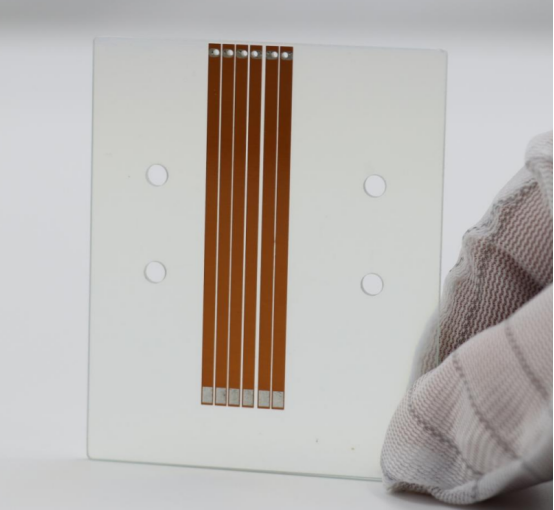
Effective Inspection and Maintenance to Prevent FPC Tears
FPCs are highly sensitive and prone to wear and tear if not properly inspected and maintained. To ensure their longevity and functionality, regular inspection and maintenance practices are essential. These practices help detect damage early, prevent further issues, and maintain the circuit's performance. Below are key techniques and methods to effectively inspect and maintain FPCs.
Visual and Physical Inspection Techniques
Using Magnifying Tools and X-rays to Detect Hidden Cracks or Delamination
Magnifying tools are essential for inspecting the surface of FPCs for cracks or delamination—conditions where the layers of the FPC separate. These issues are often not visible to the naked eye, and magnifying tools (such as loupe magnifiers or microscopes) can help reveal subtle defects that may compromise the FPC's functionality.
X-ray inspection is a more advanced method used to detect internal defects in multi-layer FPCs. This technique helps uncover problems such as cracks, fractures, or layer separation that are invisible on the surface. X-ray inspection is particularly useful for high-precision devices where even minor internal damage can lead to failure.
Example: If you’re using an FPC in a medical device, even a small hidden crack could cause the device to malfunction. Magnifying tools can detect surface cracks, while X-ray inspections can reveal deeper, invisible issues that might cause critical failures.
Performing Bend Tests and Thermal Cycling to Simulate Real-World Conditions
FPCs often bend and flex during use, especially in portable devices like smartphones. Bend tests simulate the physical stress FPCs experience in everyday use. By bending the FPC in various directions and angles, you can detect stress points where the circuit might fail or tear. These tests help identify areas where the FPC could crack under normal conditions.
Thermal cycling is another test used to simulate the temperature changes an FPC might face in real-world environments. This involves repeatedly heating and cooling the FPC to simulate temperature fluctuations that could cause material fatigue. If the FPC is not designed to handle these changes, it could result in cracks, delamination, or other forms of damage.
Steps for Bend Test and Thermal Cycling:
- Gently bend the FPC in different directions, checking for any visible damage or stress marks.
- Perform thermal cycling by placing the FPC in a controlled environment where it is exposed to alternating high and low temperatures for a specified period.
- Observe any changes, such as delamination, cracking, or weakening of the structure.
Both tests help simulate real-world conditions and ensure that the FPC can withstand stress during regular use.
Frequency and Methods for Routine Maintenance
Regular Inspection Schedules for Operational and Critical Devices
To prevent potential issues, regular inspections of FPCs are essential, particularly for devices that are operational or critical to safety. Establishing a routine inspection schedule ensures that any damage is detected early before it affects the device's performance. The frequency of inspections should depend on the device's criticality and how often it is used.
For high-use devices such as smartphones, computers, or medical equipment, inspections should be performed at least every 3-6 months. For less frequently used equipment, annual inspections might suffice. Critical devices, such as medical devices or automotive systems, may require more frequent inspections to ensure safety and reliability.
Example: In the case of a medical device, failing to inspect the FPC regularly could result in unnoticed damage that could impair the device’s performance, putting the user at risk.
Cleaning and Removing Dust or Debris to Maintain Bond Integrity
Dust, dirt, and other debris can accumulate on FPCs over time, especially in environments with high airflow or where devices are frequently used. These particles can disrupt the integrity of the bonds between the FPC’s layers, leading to weak spots and potential failure.
To maintain bond integrity, FPCs should be regularly cleaned using methods that do not damage the circuit or components. The best approach is to use compressed air or a soft, lint-free brush to remove dirt and dust from the surface. Avoid using liquids or harsh chemicals, as they could cause damage to the FPC or its components.
Step-by-Step Cleaning Process:
- Power off the device to prevent electrical damage during cleaning.
- Use compressed air to gently blow away dust and debris from the FPC's surface.
- If necessary, use a soft brush to dislodge any stubborn dirt, ensuring not to scratch the surface.
- Inspect the FPC for any potential damage after cleaning.
By keeping FPCs clean, you can prolong their lifespan and ensure that they continue to function at their best.
Summary of Effective Inspection and Maintenance Practices
- Use Magnifying Tools and X-Rays: Regularly inspect FPCs with magnifying tools to detect visible cracks or issues. For internal problems, use X-ray inspection to detect hidden defects.
- Perform Bend Tests and Thermal Cycling: Simulate real-world conditions by testing the FPC's ability to bend and withstand temperature changes.
- Establish Regular Inspection Schedules: Create a routine inspection plan, particularly for critical devices, to catch issues early.
- Clean Regularly: Use compressed air or soft brushes to keep the FPC free of dust and debris that can damage the bonds and circuits.
By following these techniques and maintaining a regular inspection schedule, you can prevent FPC tears and ensure the long-term reliability of your flexible printed circuits.
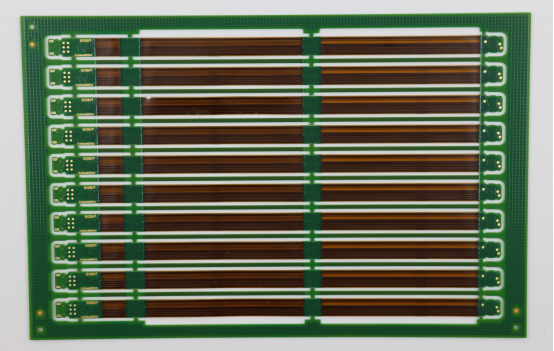
Repairing FPC Tears: DIY and Professional Solutions
FPCs are delicate and can develop tears or cracks due to various factors, including physical stress or poor handling. Fortunately, both DIY solutions and professional services can help repair minor and severe FPC damage. Below are the methods and steps to fix FPC tears, along with guidance on when to seek expert intervention for more complex issues.
Fixing Minor Tears and Cracks at Home
Step-by-Step Guide to Repairing Small Breaks with Soldering
Minor tears or cracks in the conductive pathways of an FPC can often be repaired at home using soldering. Soldering helps reconnect the damaged areas by melting a small amount of metal to create a bond between the broken parts.
Steps for Soldering Repair:
- Turn off the Device: Always make sure the device is powered off and unplugged to avoid electrical shock or further damage.
- Prepare the Tools: You’ll need a soldering iron, soldering wire, and flux. Ensure your tools are clean to avoid contamination.
- Clean the Area: Use a soft brush or compressed air to clean the area around the tear. This removes dust or debris that might interfere with the soldering process.
- Heat the Soldering Iron: Turn on the soldering iron and let it heat up to a suitable temperature (usually around 350°C or 662°F).
- Apply Flux and Solder: Gently apply a small amount of flux to the tear or crack to ensure the solder bonds properly. Then, touch the soldering iron to the tear, and apply a small amount of solder to bridge the gap.
- Let it Cool: Allow the solder to cool and harden naturally. After cooling, check the repair for any weak spots or poor bonding.
- Test the Repair: Once the FPC has cooled, carefully test the circuit to see if the repair is effective and if the device works as expected.
Example: If you accidentally cause a small crack in an FPC during installation, soldering can quickly fix the tear, restoring functionality without the need for professional help.
Using Conductive Epoxy and ZEBRA Strips for Non-Soldering Repairs
For those who want a non-soldering solution, conductive epoxy and ZEBRA strips offer an effective alternative to traditional soldering methods. These materials are used to repair minor electrical breaks in FPCs, especially when delicate components cannot tolerate high heat from soldering.
- Conductive Epoxy: This is a special type of glue that contains metal particles to conduct electricity. It is ideal for small tears where soldering might cause further damage.
Steps for Conductive Epoxy Repair:
- Clean the Area: Just like in soldering, clean the damaged area with a soft brush or compressed air to remove dust and debris.
- Mix the Epoxy: Follow the manufacturer’s instructions to mix the epoxy. Typically, you’ll need to mix equal parts of the two components.
- Apply the Epoxy: Use a small applicator or toothpick to apply the epoxy directly onto the crack or tear.
- Let it Cure: Allow the epoxy to cure fully, which can take several hours to a day, depending on the product.
- Test the Repair: After curing, test the FPC to check if the electrical connection is restored.
- ZEBRA Strips: These strips are flexible connectors often used to repair damaged traces in FPCs. They are ideal for connecting two layers of the circuit without the need for soldering.
Example: When repairing an FPC in a smartphone where the tear is too small for soldering but still needs to conduct electricity, using conductive epoxy or a ZEBRA strip can save time and avoid heat damage.
When to Seek Professional Help for Severe Damage
Identifying When Internal Layer Damage or Delamination Requires Expert Intervention
Not all FPC damage can be easily fixed at home. For severe damage, such as internal layer damage or delamination (where the FPC layers separate), professional intervention is required. These types of damage can cause the FPC to malfunction, and DIY repairs might not restore its integrity.
- Internal Layer Damage: FPCs often have multiple layers, and if the internal layers are damaged, they can lead to broken connections that are hard to reach or repair at home. These issues are not visible on the surface and require detailed inspection by a professional using X-ray or microscope analysis.
- Delamination: This occurs when the layers of an FPC peel apart. It’s usually caused by poor handling, excessive stress, or environmental conditions like moisture. Once delamination occurs, it often requires complete replacement of the affected part, as a DIY repair might not fully restore the FPC’s functionality.
Example: If you notice that an FPC in a medical device is not functioning despite attempts to repair visible tears, it could be due to internal damage or delamination. In such cases, professional repair or replacement is necessary to ensure safety and reliability.
Risks of DIY Repairs for Complex or Critical FPC Damage
While DIY repairs can work for minor FPC tears, attempting to fix complex or critical damage can be risky. Improper repairs could lead to further damage or even complete failure of the FPC, especially if:
- The wrong materials are used (e.g., regular glue instead of conductive epoxy).
- The FPC is exposed to excess heat, which can cause it to warp or further crack.
- You do not have the right tools to identify internal issues.
For example, attempting to repair an FPC in a high-end electronics device (like a drone or medical equipment) without professional training could result in voiding warranties or creating safety hazards. In these situations, it’s always better to seek expert help.
Summary of FPC Repair Solutions
- DIY Soldering for Minor Tears: Small cracks or breaks can often be repaired with a soldering iron by bridging the gap with metal solder.
- Non-Soldering Solutions: Use conductive epoxy or ZEBRA strips for non-heat repairs that are ideal for sensitive components.
- Professional Help for Severe Damage: Seek professional help if the damage is internal or involves delamination, as these require specialized tools and expertise.
- Risks of DIY Repairs: Be aware of the risks involved in DIY repairs for critical devices, as improper fixes can lead to bigger problems or device failure.
By understanding when to attempt DIY fixes and when to seek professional help, you can keep your FPCs functioning well and avoid unnecessary damage.
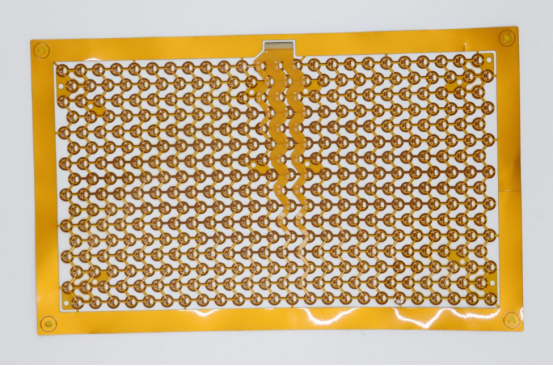
Conclusion
The importance of FPCs in modern electronic devices cannot be overstated. However, due to the unique properties of their materials, FPCs are prone to various types of damage. By following proper handling, storage, regular inspections, and implementing effective repair methods, we can significantly extend the lifespan of FPCs and ensure the stable operation of devices. Whether it’s repairing minor cracks or addressing more complex damage, knowing when to attempt a DIY repair and when to seek professional help is crucial for maintaining the long-term stability of FPCs and ensuring the safety of your devices.
If you have any further questions or would like to learn more about FPCs and PCBs, feel free to reach out to PCBMASTER . As an experienced FPC and PCB supplier, we are here to provide you with expert guidance and solutions.
FAQs
How can I avoid damaging an FPC during handling?
Always handle the FPC by its edges. Wear lint-free gloves or use tools to avoid direct contact with your fingers. This prevents oils, dirt, and physical stress from damaging the FPC’s delicate surface.
Can I store my FPC in a regular plastic bag?
No, it is not recommended. FPCs should be stored in anti-static bags to prevent electrostatic discharge (ESD), which can damage the delicate circuitry. Regular plastic bags do not offer protection against static electricity.
How can I check if my FPC has cracks or tears?
Use magnifying tools to check for visible surface cracks. For hidden cracks, X-ray inspection is an effective method, as it can reveal internal layer damage that is not visible on the surface.
Can I repair FPC cracks myself?
Small cracks can be repaired with soldering or conductive epoxy. However, for more severe damage, it is recommended to seek professional help to ensure the repair is done correctly and does not cause further issues.
How often should I inspect my FPC?
For devices that are used frequently, such as smartphones or automotive electronics, it is recommended to perform an inspection every 3–6 months. Regular checks help identify potential issues before they become serious problems.
About the Author

Carol Luo
PCB Design EngineerI'm Carol, a PCB Engineer at PCBMASTER with experience in PCB design and manufacturing engineering since 2018. I focus on translating engineering requirements into reliable PCB solutions, with expertise in stack-up design, material selection, and design-for-manufacturing (DFM). I share practical engineering insights from real-world PCB design and production experience.
Visit Carol Luo's Profile