PCB Stack-up Customization 101: What You Need to Know for Optimal Performance
Customizing the PCB stack-up is a critical step in designing high-performance printed circuit boards (PCBs). Whether you’re working on a simple consumer device or a complex high-speed application, the way you configure the layers and materials of your PCB can significantly affect its functionality, reliability, and cost. A well-designed stack-up ensures optimal signal integrity, efficient power distribution, and effective heat management—all while keeping manufacturing constraints in check.
In today’s fast-paced electronics landscape, where innovation and performance are paramount, understanding the nuances of PCB stack-up customization is more important than ever. By mastering the balance between layer count, material selection, and precise trace placement, designers can avoid common pitfalls and achieve the desired performance characteristics. Whether you're new to PCB design or looking to refine your process, grasping the fundamentals of stack-up customization will help you make smarter decisions that pay off in the long run.
What is PCB Stack-up Customization?
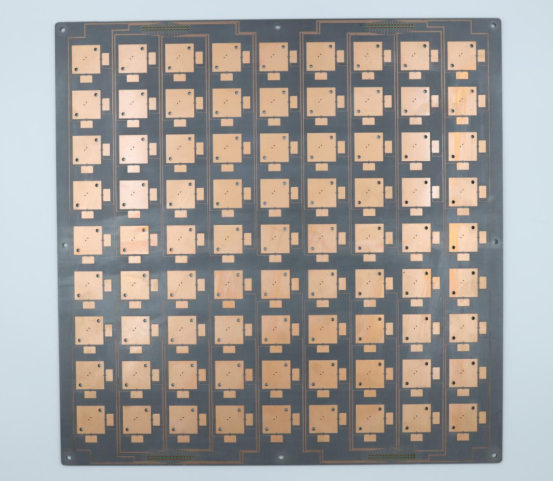
PCB stack-up customization refers to the process of designing the arrangement and structure of layers within a PCB. It involves selecting materials, determining the number of layers, and precisely placing signal, power, and ground planes. Each layer serves a unique purpose to ensure the board functions properly and efficiently. Customizing the stack-up allows designers to meet specific electrical, mechanical, and thermal requirements while ensuring signal integrity, power distribution, and heat management.
The importance of this customization lies in the fact that no two PCB designs are identical. Different applications—whether consumer electronics, automotive, or telecommunications—demand varying considerations for factors like signal speed, impedance control, and thermal dissipation. By adjusting the stack-up, designers can optimize these elements for performance, cost-efficiency, and manufacturability.
Brief Overview of PCB Stack-up and Its Role in Circuit Performance
PCB stack-up involves organizing different layers within a PCB to ensure the device functions as intended. At its core, a PCB consists of a series of conductive and insulating layers, including traces, vias, and planes. For a simple PCB, you might only need a few layers, but for more complex designs, like high-speed circuits, the stack-up becomes more intricate.
The arrangement of these layers is crucial for several reasons. It determines the impedance of signal traces, which is essential for high-speed data transmission without interference or loss. It also plays a key role in the distribution of power and grounding, helping to minimize noise and improve signal integrity. In addition, the stack-up affects thermal management by controlling the path heat takes through the PCB, ensuring that the device doesn’t overheat.
In short, the stack-up is the backbone of PCB performance. A well-designed stack-up ensures that the circuit functions efficiently, while a poorly designed one can lead to issues like signal loss, heat buildup, and electrical interference.
Why Customizing PCB Stack-up is Crucial for Optimal Performance
Customizing your PCB stack-up is crucial because it allows you to tailor the design to your specific needs, balancing performance and cost. Each application—whether it's a high-frequency device, a wearable, or an industrial product—requires different specifications for materials, layer configurations, and trace placements.
For example, high-speed digital circuits need precise impedance control to prevent signal reflections and data loss. Customizing the stack-up ensures the right impedance is maintained by adjusting the distance between signal traces and ground planes. This is vital for high-speed, high-frequency applications, such as mobile devices or networking equipment.
Additionally, a custom stack-up enables designers to optimize power and ground planes, ensuring efficient power distribution and minimizing the chances of voltage fluctuations. This is especially important in circuits that require stable operation, like medical devices or automotive electronics, where power reliability is critical.
Thermal management is another factor. With a custom stack-up, you can strategically place heat-dissipating materials and layers to prevent overheating, ensuring longevity and reliability. By carefully considering the stack-up, designers can avoid costly design errors and create PCBs that meet both functional and regulatory standards.
What Are the Key Factors in Customizing PCB Stack-up?
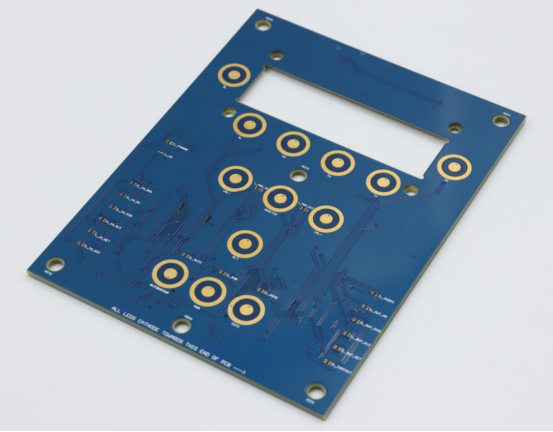
Customizing a PCB stack-up involves several key factors that directly impact the performance, reliability, and cost of your circuit board. The most important elements include the number and types of layers, material selection, and the geometry of traces. Each of these factors plays a crucial role in ensuring signal integrity, power distribution, and thermal management. Understanding how these elements interact will help you design an optimal stack-up tailored to your specific application needs.
Layer Count and Type: How Does Layer Configuration Affect Stack-up?
The number of layers in a PCB stack-up significantly affects its design and performance. In general, the more layers a PCB has, the more complex and capable it becomes. A PCB can have anywhere from 2 layers to dozens of layers, depending on the complexity of the circuit.
Importance of Layer Types: Signal, Power, Ground, and Plane LayersEach layer in a PCB stack-up serves a distinct function. Signal layers carry the electrical signals that power the circuit, while ground and power layers ensure stable voltage and minimize noise. Ground planes provide a solid reference for signals, reducing interference, while power planes supply voltage to various parts of the PCB. Optimizing the balance between these layers helps ensure efficient performance.
Choosing Between 2-Layer, 4-Layer, 6-Layer, or Multi-layer PCBs
- 2-layer PCBs are simple and cost-effective for basic circuits but have limited space for signal routing and power management.
- 4-layer PCBs offer a better balance of signal integrity and power distribution, making them suitable for moderate-speed designs.
- 6-layer and multi-layer PCBs are used in high-speed, high-density applications where improved performance is critical. These designs support complex routing and more robust power delivery, making them ideal for smartphones, networking equipment, and medical devices.
Material Selection: How Do Materials Impact the Performance of a PCB Stack-up?
The materials chosen for PCB stack-up directly influence the electrical, mechanical, and thermal properties of the circuit. Different materials offer various advantages depending on the application’s needs.
Key Materials: FR - 4, Rogers, and Polyimide
- FR-4 is the most commonly used PCB material. It is inexpensive and offers good electrical performance for general-purpose applications.
- Rogers materials are used in high-frequency applications because they have a stable dielectric constant and minimal signal loss, making them ideal for RF and microwave PCBs.
- Polyimide is a flexible material used in flexible PCBs (FPCBs), providing excellent thermal stability and flexibility for devices like wearables.
Material Properties: Dielectric Constant, Loss Tangent, and Thermal Conductivity
- Dielectric constant (Dk)refers to how well a material can store electrical energy. Materials with a low Dk are preferred for high-speed designs because they reduce signal delay.
- Loss tangent (Df) measures how much energy is lost as heat in a material. A lower loss tangent is crucial for minimizing signal degradation in high-speed and high-frequency circuits.
- Thermal conductivity indicates how well a material can dissipate heat. In high-power applications, materials with good thermal conductivity, like copper or aluminum, are essential to prevent overheating and improve the PCB’s overall reliability.
Trace Width and Spacing: What Role Does Trace Geometry Play?
Trace width and spacing are essential factors for controlling the electrical characteristics of a PCB, particularly impedance and signal integrity.
The Impact of Trace Width on Impedance Control and Signal Integrity The width of the traces on a PCB directly affects the impedance, which is the resistance a signal faces as it travels along the trace. A wider trace typically lowers the impedance, while a narrower trace increases it. For high-speed or high-frequency circuits, maintaining a consistent impedance is crucial for avoiding signal reflections, ensuring that signals travel with minimal loss or distortion. This is why PCB stack-up design often involves careful calculations to match impedance values to the components and signals being used.
How Trace Spacing Affects Crosstalk and Power Distribution Trace spacing, the distance between individual traces, impacts both crosstalk and power distribution.
- Crosstalk occurs when signals from one trace interfere with adjacent traces, leading to noise and signal corruption. Increasing trace spacing can reduce crosstalk, improving signal clarity and overall circuit performance.
- Power distribution is also affected by trace spacing. In power planes, wider trace spacing can lower resistance and improve power delivery efficiency. However, too wide a spacing can lead to an imbalanced power distribution, causing voltage drops or instability.
In summary, optimizing trace width and spacing ensures proper impedance control, minimizes crosstalk, and enhances power distribution across the board.
How Do You Calculate the Optimal Stack-up for Your PCB Design?
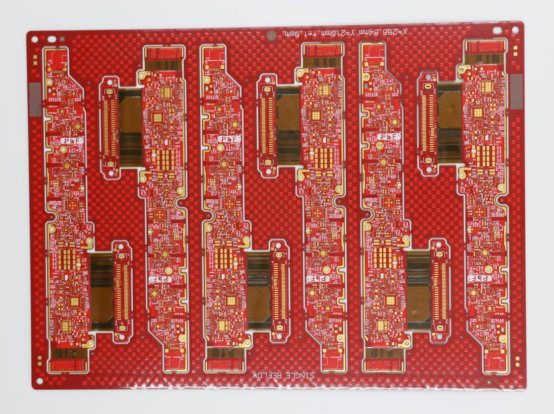
Calculating the optimal stack-up for your PCB design is a crucial step in ensuring the board performs as expected. The stack-up determines how the layers, materials, and trace configurations interact to control factors like impedance, signal integrity, and heat dissipation. By carefully selecting and arranging these elements, you can achieve optimal performance, minimize noise, and prevent overheating.
Impedance Control: What Is Its Role in PCB Stack-up Design?
Impedance control is crucial for maintaining the quality of electrical signals as they travel along PCB traces. In PCB design, impedance refers to the resistance a signal experiences as it moves through the traces. If the impedance is not controlled, signals can become distorted, leading to errors, signal loss, or data corruption.
Differential and Single-Ended Impedance Requirements
- Single-ended impedance refers to the impedance of a trace relative to the ground plane. This is important for simple signals traveling along one path.
- Differential impedance is relevant for pairs of traces that carry opposite signals. This is typically used in high-speed or high-frequency designs like USB or Ethernet, where maintaining signal integrity is essential.
By calculating and controlling these impedance values, you ensure that signals reach their destination without reflection or degradation.
How to Calculate Trace Impedance Based on Stack-up Configuration To calculate the impedance, the thickness of the traces and the distance between the traces and the ground plane must be known. Tools like Field Solver software or electromagnetic simulation tools are often used to model and calculate impedance based on the stack-up configuration. Designers adjust the trace width and spacing to match the desired impedance for each signal type, ensuring proper signal transmission.
Signal Integrity: How to Ensure Quality Signals with Proper Stack-up?
Signal integrity refers to the ability of a signal to maintain its shape and strength as it travels through the PCB. Proper stack-up design is key to achieving good signal integrity by preventing issues like noise, interference, and signal loss.
Minimizing Noise, Crosstalk, and Reflection in PCB Design
- Noise can corrupt signals if not properly shielded. Using solid ground planes and placing signal traces away from noisy components helps reduce interference.
- Crosstalk occurs when signals from adjacent traces interfere with each other. To minimize crosstalk, increasing trace spacing and using ground planes between signal traces helps isolate them.
- Reflection happens when the impedance of a trace is mismatched. This causes a part of the signal to reflect back towards the source. Impedance matching is crucial to avoid reflection and maintain signal clarity.
By controlling these factors with a well-designed stack-up, you ensure that signals remain clean, minimizing the chances of errors and improving overall performance.
The Role of Ground and Power Planes in Signal Integrity Ground and power planes are vital in PCB design for maintaining signal integrity. The ground plane acts as a reference point for signal traces, stabilizing voltage levels and reducing noise. The power plane provides a stable voltage to components, helping prevent fluctuations that could affect signal quality. By placing these planes in the right positions within the stack-up, such as adjacent to signal layers, designers can create a stable environment for signals to travel efficiently.
Thermal Management: How Can PCB Stack-up Influence Heat Dissipation?
Thermal management is crucial to ensure that PCBs operate within safe temperature limits. Heat build-up can affect the performance and longevity of components, leading to failures or degraded functionality. A well-designed PCB stack-up can help distribute and dissipate heat effectively.
Heat Transfer in Multilayer PCBs In multilayer PCBs , heat transfer becomes more complex because heat has to travel through multiple layers to dissipate. A good stack-up design takes thermal conductivity into account, using materials and layer configurations that allow heat to escape efficiently. Heat tends to accumulate in the inner layers of the PCB, so it’s important to place heat-sensitive components closer to the outer layers where heat can be more easily dissipated.
How to Design Stack-up for Improved Thermal Performance To improve thermal performance, designers can:
- Use high-thermal-conductivity materials (like copper) for inner layers or heatsinks.
- Optimize the placement of heat-sensitive components to ensure they are not surrounded by heat-generating components.
- Add extra copper layers or vias specifically designed to carry heat away from the components.
By considering heat dissipation in the stack-up design, you can ensure that the PCB runs at a safe temperature, improving performance and lifespan.
What Are the Common Challenges in PCB Stack-up Customization?
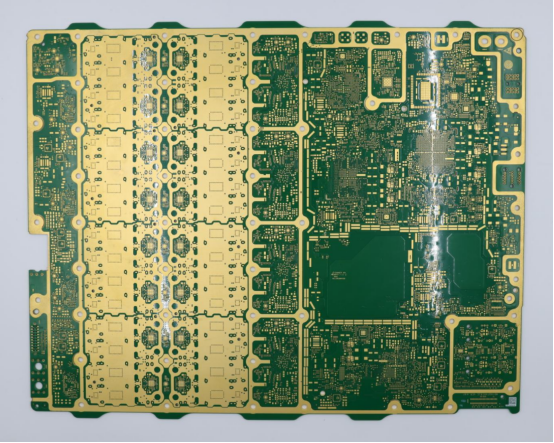
Customizing a PCB stack-up comes with several common challenges that designers must address to ensure a reliable and high-performing board. These challenges include manufacturing limitations, cost considerations, and the demands of high-speed circuit design. Understanding these obstacles helps designers make informed decisions about layer configuration, materials, and layout to balance performance, manufacturability, and budget.
Manufacturing Constraints: How to Navigate Board Fabrication Limitations?
PCB stack-up customization often faces manufacturing constraints, which can limit how precisely a designer’s ideal layout can be produced. These constraints include equipment capabilities, material tolerances, and layer alignment limitations. Understanding these constraints early helps avoid design errors and costly rework.
Tolerance Issues in Layer Thickness and Alignment During fabrication, each layer of a PCB must meet specific thickness tolerances. Even slight deviations can affect impedance, signal integrity, and thermal performance. For example, in high-speed PCBs, a 5% variation in dielectric thickness can significantly alter trace impedance. Proper collaboration with manufacturers and reviewing fabrication specifications ensures these tolerances are achievable.
Managing the Trade-offs Between Cost and Performance High-performance stack-ups may require advanced materials, more layers, or tighter tolerances, which increase manufacturing complexity and cost. Designers must balance performance needs with fabrication feasibility. For instance, adding extra ground planes may improve signal integrity but also raise the price. Evaluating trade-offs ensures the PCB remains manufacturable and cost-effective while meeting functional requirements.
Cost Implications: How Does Stack-up Customization Affect PCB Pricing?
Customizing a PCB stack-up has a direct impact on production costs. Decisions such as material selection, number of layers, and complexity of routing influence pricing.
How Material and Layer Count Impact Cost Structure High-performance materials like Rogers or polyimide are significantly more expensive than standard FR4. Similarly, moving from a 2-layer to a 6-layer PCB increases fabrication costs due to extra materials, processing steps, and inspection requirements. Understanding how each choice affects cost helps in planning budgets for production runs.
Balancing Customization with Budget Constraints Designers must prioritize which aspects of the stack-up are critical and which can be simplified to control costs. For example, a project may require only select signal layers to use high-frequency materials, while the remaining layers can use standard FR4. Strategic compromises allow for both high performance and cost efficiency, ensuring the project stays within budget without compromising essential functionality.
Design for High-Speed PCBs: What Makes Custom Stack-ups Essential?
Custom stack-ups are essential for high-speed PCBs because standard layer configurations often cannot meet the strict requirements of signal integrity and power delivery at high frequencies.
Addressing High-Speed Signal and Power Integrity Needs High-speed circuits are sensitive to noise, reflections, and crosstalk. Custom stack-ups allow designers to place signal layers adjacent to ground planes, control impedance, and optimize power distribution. For example, in a multi-gigabit Ethernet board, careful stack-up design prevents signal distortion and maintains data reliability.
Challenges in Multi-Gigabit Designs and Custom Stack-up Solutions Designing multi-gigabit PCBs introduces challenges like skew, reflection, and thermal buildup. A custom stack-up may require precise layer thicknesses, specialized materials, and optimized trace routing to ensure proper high-speed performance. By addressing these challenges through careful stack-up design, designers can achieve reliable operation in advanced communications, data centers, and high-frequency electronics applications.
How to Optimize Your PCB Stack-up for Different Applications?
Optimizing a PCB stack-up for different applications means tailoring the layer arrangement, materials, and design to meet the unique requirements of each use case. Consumer electronics, automotive systems, aerospace devices, and high-frequency RF circuits all have different priorities—whether it’s cost, reliability, thermal performance, or signal integrity. By understanding these needs, designers can create stack-ups that ensure optimal performance, durability, and efficiency for each specific application.
Consumer Electronics: What Stack-up Characteristics Are Ideal for Consumer Devices?
For consumer electronics, the ideal PCB stack-up balances performance, reliability, and cost efficiency. These devices often operate at moderate frequencies and require compact designs, so careful layer arrangement is key.
Focus on Signal Integrity, Power Distribution, and Cost Efficiency Consumer devices need stable signals and efficient power delivery without adding unnecessary cost. Using a 4-layer PCB stack-up is common: two layers for signals and two layers for power and ground planes. This configuration provides good signal integrity while keeping manufacturing costs low. For example, smartphones and smart home devices often use this approach to achieve reliable operation without excessive expense. By optimizing the stack-up in this way, designers ensure the device performs well while remaining affordable for mass production.
Automotive and Aerospace: What Stack-up Features are Critical for Harsh Environments?
In automotive and aerospace applications, PCBs face extreme temperatures, vibrations, and mechanical stress. The stack-up must prioritize durability and reliability over cost alone.
Thermal, Mechanical, and Reliability Considerations for High-Stress Environments
- Thermal management is critical: materials with high thermal conductivity, like polyimide or metal-core PCBs, help dissipate heat from high-power components.
- Mechanical strength: Multiple layers with solid ground and power planes provide rigidity, preventing warping or delamination under vibration.
- Reliability: Controlled impedance and robust power distribution reduce failures in safety-critical systems like braking or avionics.
For example, automotive engine control units (ECUs) often use 6-layer or 8-layer PCBs with high-temperature materials and reinforced layers to maintain long-term performance under harsh conditions.
RF and Microwave PCBs: How to Customize Stack-up for High-Frequency Applications?
High-frequency applications like RF and microwave circuits require precise stack-up design to minimize signal loss and maintain proper impedance. Standard consumer or industrial stack-ups are often inadequate for these applications.
Special Design Considerations for Impedance Control and Signal Loss Minimization
- Impedance control: Signal layers must be carefully spaced from ground planes to maintain exact impedance for high-speed signals.
- Material choice: Low-loss materials like Rogers laminates reduce signal attenuation at high frequencies.
- Layer arrangement: Ground planes adjacent to signal layers act as shields, reducing electromagnetic interference (EMI) and crosstalk.
For example, in a Wi-Fi router or 5G communication module, a custom stack-up ensures that signals above several GHz travel cleanly without reflection or loss, which is essential for reliable data transmission.
What Tools and Software Can Help in PCB Stack-up Customization?
Designing an optimal PCB stack-up requires more than just planning on paper—it relies on specialized tools and software that help define layers, calculate impedance, and verify performance. From professional PCB design programs to advanced simulation and analysis tools, these solutions allow designers to visualize stack-ups, test signal integrity, and manage thermal behavior before fabrication, ensuring reliable and efficient circuit boards.
PCB Design Software: What Are the Best Tools for Stack-up Design?
PCB design software is essential for creating, visualizing, and customizing PCB stack-ups. These tools allow designers to define layer structures, calculate trace impedance, and simulate board behavior before fabrication. Using specialized software reduces errors, saves time, and improves overall design quality.
Popular Software: Altium Designer, KiCad, and Eagle
- Altium Designer is widely used in professional electronics design. It offers advanced stack-up planning, impedance calculators, and 3D visualization of PCB layers, making it ideal for high-speed and complex circuits.
- KiCad is a free, open-source PCB design tool suitable for beginners and small projects. It supports multi-layer stack-up design, basic impedance control, and visualization.
- Eagleis another popular PCB design software known for its ease of use and integration with component libraries. It provides tools for layer definition, trace management, and initial impedance calculations.
Each of these tools helps designers plan and customize stack-ups efficiently, providing both visual and analytical support to avoid costly fabrication errors.
How These Tools Help with Layer Definition, Impedance Calculations, and Stack-up Visualization PCB software allows designers to:
- Define layers: Set the number, type, and order of signal, power, and ground layers.
- Calculate impedance: Determine the correct trace width and spacing for single-ended or differential signals.
- Visualize the stack-up: 3D or cross-sectional views make it easy to verify layer placement, alignment, and spacing.
For example, in Altium Designer, designers can simulate the effect of layer thickness and dielectric properties on impedance before producing a prototype, preventing signal integrity issues later.
Simulations and Analysis Tools: How to Use Software to Verify Your Stack-up Design?
Simulation and analysis tools complement PCB design software by verifying that the stack-up will meet performance requirements. These tools test signal integrity, thermal behavior, and impedance matching to ensure the PCB works as intended under real conditions.
Importance of Signal Integrity and Thermal Simulations
- Signal integrity simulations help detect potential problems like reflection, crosstalk, and noise. Designers can adjust trace width, spacing, or layer placement based on simulation results.
- Thermal simulations predict how heat will distribute across layers, helping prevent hotspots that could damage components or reduce reliability. For instance, in a power supply PCB, simulation may reveal that inner layers are overheating, prompting adjustments in copper thickness or layer arrangement.
Tools for Impedance Matching and Crosstalk Analysis Specialized software like Ansys HFSS, HyperLynx, or CST Studio Suite allows detailed analysis of high-speed signals. Designers can:
- Match impedance for differential or single-ended traces.
- Reduce crosstalk by testing different trace spacing or layer arrangements.
- Verify performance before committing to fabrication, saving both time and cost.
By combining design software with simulation and analysis tools, designers can create optimized stack-ups that ensure reliable signal transmission, thermal management, and overall PCB performance.
What Are the Best Practices for Ensuring a Reliable PCB Stack-up?
Ensuring a reliable PCB stack-up requires more than good design—it depends on clear documentation, close collaboration with manufacturers, and thorough testing. By providing detailed specifications, validating performance through prototypes, and addressing issues early, designers can prevent errors, improve signal integrity, and create durable, high-performing PCBs that meet both functional and manufacturing requirements.
Documentation and Collaboration: How to Ensure Clear Communication with Manufacturers?
Clear documentation and collaboration with PCB manufacturers are essential to ensure the stack-up is built accurately and reliably. Without precise instructions, even a well-designed stack-up can result in errors during fabrication.
Best Practices for Documenting Stack-up Details and Design Specifications
- Provide a detailed layer stack diagram that includes layer order, type (signal, power, ground), and material specifications.
- Include trace width, spacing, and impedance requirements for each signal layer.
- Specify tolerance limits for layer thickness and copper weight, which helps the manufacturer understand critical dimensions.
- Add notes on special requirements, such as high-frequency materials or thermal vias.
For example, a smartphone PCB design might include a 6-layer stack diagram, with specific FR4 and Rogers materials labeled for signal and power planes. This documentation ensures the manufacturer produces exactly what the designer intended, reducing the risk of costly mistakes.
Regular Testing and Validation: Why Is Testing Essential for Stack-up Customization?
Testing is essential because it confirms that the PCB stack-up performs as expected in real-world conditions. Even a carefully designed stack-up can fail if tolerances, materials, or layer arrangements are not properly validated.
Types of Tests: Impedance Testing, Thermal Cycling, and Reliability Tests
- Impedance testing verifies that trace impedance matches design specifications, preventing signal reflections and ensuring data integrity.
- Thermal cycling exposes the PCB to temperature variations to check for delamination or warping over time.
- Reliability tests include vibration, humidity, and mechanical stress testing, ensuring the stack-up can withstand operational conditions.
For instance, a high-speed networking board may undergo impedance verification using a Time Domain Reflectometer (TDR) to ensure differential pairs maintain proper signal transmission.
How to Handle Issues Found During Prototype Testing
If testing reveals problems, designers should:
- Identify the root cause—such as layer misalignment, incorrect material, or trace width errors.
- Adjust the stack-up design, modifying layer order, materials, or trace dimensions.
- Update documentation and communicate changes clearly with the manufacturer.
- Re-test the revised prototype to confirm that the issues are resolved before full production.
By combining careful documentation, collaboration, and rigorous testing, designers can ensure their PCB stack-up is reliable, manufacturable, and capable of meeting performance requirements in its intended application.
Conclusion
In today’s fast-paced electronics landscape, a well-designed PCB stack-up is essential for achieving reliable performance, efficient power distribution, and effective thermal management. From selecting the right materials and optimizing layer arrangements to controlling impedance and ensuring signal integrity, every detail plays a crucial role in the final product’s success. Whether you are designing consumer electronics, high-speed communication boards, or rugged automotive and aerospace PCBs, understanding stack-up customization helps you avoid costly mistakes and ensures long-term reliability.
For designers seeking professional support, PCBMASTER offers decades of experience as a trusted PCB supplier . They work closely with clients to provide customized solutions, selecting the ideal materials, layer configurations, and fabrication methods to meet specific performance, budget, and application requirements. By combining expertise with high-quality manufacturing, PCBMASTER ensures that every stack-up is optimized for success, helping your project move from design to production with confidence.
FAQs
What is the difference between a 4-layer and a 6-layer PCB stack-up?
A 4-layer PCB typically includes two signal layers and two planes (one power, one ground). This configuration balances cost and performance, providing good signal integrity and moderate routing capability. It is widely used in consumer electronics, moderate-speed digital circuits, and simple RF designs.
A 6-layer PCB adds additional layers—usually an extra pair of signal or plane layers. These additional layers provide improved signal routing flexibility, better power and ground distribution, and enhanced EMI control. High-speed circuits, multi-gigabit communication devices, and complex industrial boards often require 6-layer or more stack-ups to maintain performance under higher density and speed requirements.
Benefits:
- 4-layer: Lower cost, simpler fabrication, adequate for moderate performance.
- 6-layer: Better signal integrity, reduced crosstalk, improved thermal and power distribution, suitable for high-density and high-speed applications.
How does a customized PCB stack-up affect signal integrity?
A properly customized PCB stack-up is critical to maintaining signal integrity. By carefully arranging signal, ground, and power layers, designers control impedance, reduce noise, and prevent signal reflections.
- Prevents signal degradation: Properly spaced signal layers with adjacent ground planes minimize voltage fluctuations and reduce high-frequency signal loss.
- Reduces crosstalk: Signal layers separated by ground or power planes limit electromagnetic interference between traces.
- Optimizes high-speed performance: Differential pairs, controlled impedance, and thoughtful layer stacking prevent timing errors and maintain signal clarity in fast circuits like USB, HDMI, or RF modules.
In short, a well-designed stack-up ensures reliable data transmission and reduces performance issues caused by electrical interference.
What are the signs of a poorly designed PCB stack-up?
Common indicators include:
- Signal noise: Unexpected interference or distorted waveforms indicate poor impedance control or layer arrangement.
- Power loss or voltage drops: Inadequate power planes can cause unstable voltage to critical components.
- Thermal problems: Overheating or hot spots suggest poor heat dissipation due to layer or material selection.
- Manufacturing failures: Warping, delamination, or misaligned layers often signal that tolerances or materials were not properly considered.
If these issues appear during prototype testing or in the field, a stack-up review and redesign may be necessary.
Can I change the PCB stack-up after design completion?
Changing a PCB stack-up after design completion is very challenging because:
- The layer order, materials, and trace placement are often fixed in the design files.
- Adjusting layers can affect impedance, signal routing, thermal management, and overall mechanical integrity.
- Changes usually require redoing the layout, updating simulations, and generating new manufacturing documentation.
While minor adjustments may be possible, major modifications are costly and time-consuming. It’s far more efficient to optimize the stack-up during the design phase before sending it to fabrication.
How do I select the right materials for my PCB stack-up?
Selecting materials depends on performance, cost, and application requirements:
- FR-4: Standard, cost-effective, suitable for most consumer electronics and moderate-speed circuits.
- Rogers materials: Low-loss, high-frequency laminates for RF, microwave, or high-speed digital applications.
- Polyimide or flexible materials: Used in flexible PCBs, wearables, or devices requiring bending.
- Thermal and mechanical considerations: For high-power or harsh environments, choose materials with good thermal conductivity and mechanical strength.
The key is balancing electrical performance, thermal management, mechanical reliability, and cost to match the application. For example, a high-speed networking board may require Rogers for critical layers, while the remaining layers use FR4 to save costs.
About the Author

Carol Luo
PCB Design EngineerI'm Carol, a PCB Engineer at PCBMASTER with experience in PCB design and manufacturing engineering since 2018. I focus on translating engineering requirements into reliable PCB solutions, with expertise in stack-up design, material selection, and design-for-manufacturing (DFM). I share practical engineering insights from real-world PCB design and production experience.
Visit Carol Luo's Profile