Top 10 PCB Design Rules You Need to Follow for Reliable Circuits
PCB design plays a vital role in electronics manufacturing, as it determines how electrical components are connected on a printed circuit board (PCB) . A well-designed PCB ensures that electrical signals flow correctly, components are placed efficiently, and the overall device functions as intended. In today’s technology-driven world, a reliable PCB design is the foundation of almost all modern electronics, from smartphones to medical devices.
Following specific PCB design rules is crucial for ensuring the reliability and functionality of circuits. These rules help avoid common issues such as signal interference, overheating, and mechanical failure, which can lead to product malfunctions or even damage. For example, if traces are too narrow or improperly spaced, the PCB may overheat or fail to transmit signals correctly. By adhering to these design rules, engineers can prevent such problems and create PCBs that are durable, efficient, and high-performing.
In this article, we’ll explore the top 10 PCB design rules that are essential for building reliable circuits. These guidelines will help both beginners and experienced designers ensure their PCBs meet industry standards and function as expected in real-world applications.
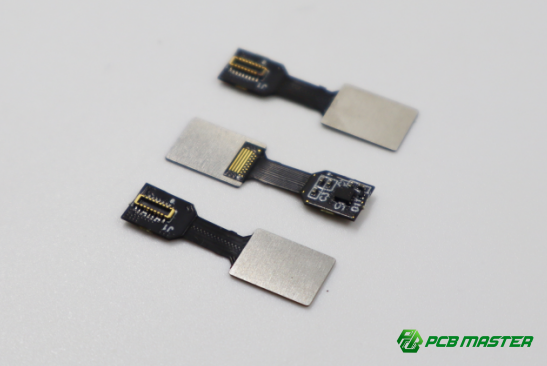
Rule #1: Maintain Proper Trace Widths and Spacing
Why Trace Width and Spacing Matter
Trace width is a crucial factor in PCB design because it determines how much current a trace can carry without overheating. When traces are too narrow, they can't handle high current loads, which can lead to excessive heat buildup. This heat can damage the components and affect the overall performance of the circuit. Conversely, if traces are too wide, they may waste valuable PCB space.
Trace spacing is also important because it affects the integrity of the signals on the board. If the traces are placed too close together, they could short-circuit or cause electrical noise. A short circuit happens when an unintended path allows current to flow, potentially damaging the PCB. Proper spacing ensures that electrical signals remain stable and interference is minimized, particularly in high-speed circuits.
How to Calculate Trace Widths and Spacing
To calculate the ideal trace width for your PCB, you can use industry standards like IPC-2221 . This standard helps engineers determine the required width based on factors like current load and the PCB's material properties. For example, the current capacity of a trace depends on its width, the temperature rise, and the PCB material’s ability to conduct heat.
A trace width calculator is a handy tool for this. It uses formulas based on IPC-2221 to calculate the necessary width for a given current. For instance, if you need to design a trace to carry 1 amp of current on a 1oz copper PCB, a typical trace width might be around 30 mils. You can use an online calculator, inputting details like current, copper thickness, and temperature rise to get the exact trace width.
By calculating trace widths and spacing accurately, you ensure your PCB is both efficient and reliable.
Rule #2: Keep Power and Ground Planes Separate
Benefits of Separate Power and Ground Planes
Separating the power and ground planes in a PCB design offers several benefits, primarily minimizing noise and electromagnetic interference (EMI) . Noise occurs when signals interfere with each other, and EMI can cause unwanted signals to affect the operation of your circuit. By keeping the power and ground planes separate, you reduce the chances of noise coupling from the power lines into the sensitive signal lines. This is particularly important in high-speed designs, where even small amounts of interference can distort signals and cause malfunctions.
In addition, separating power and ground planes improves power integrity and signal quality. A solid ground plane ensures a low-impedance path, which is critical for maintaining a stable reference voltage. When power and ground are interconnected on the same plane, voltage drops can occur, affecting the performance of the circuit. A separate power plane helps to maintain stable voltage levels across the PCB, ensuring reliable operation of components.
Best Practices for Layer Stack-up Design
To achieve the best performance, it's essential to design the layer stack-up in a way that maximizes separation between the power and ground planes. A typical 4-layer PCB design is a great example. In such a design, Layer 1 and Layer 4 are typically used for signal routing, while Layers 2 and 3 are dedicated to the power and ground planes.
In this 4-layer setup, Layer 2 can be the ground plane, and Layer 3 can be the power plane. The ground and power planes should be as continuous as possible, with minimal interruptions from signal traces. This setup creates a solid, stable foundation for signals, improving overall performance and reducing the likelihood of signal degradation or EMI. Additionally, the proximity of the signal layers (Layer 1 and Layer 4) to the power and ground planes creates efficient shielding and reduces the path of noise interference, enhancing signal integrity.
By carefully considering the layer stack-up and keeping power and ground planes separate, you can achieve a more reliable and noise-resistant PCB design.
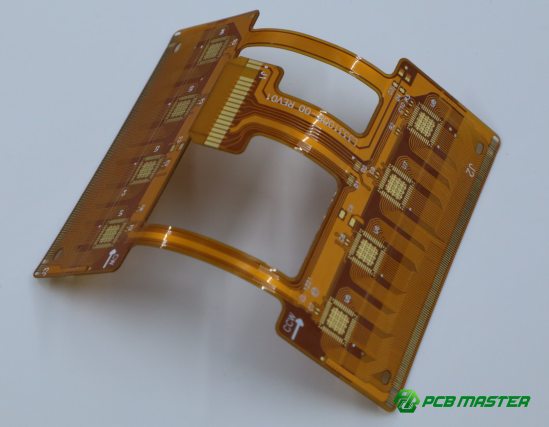
Rule #3: Proper Via Sizing and Placement
Understanding the Role of Vias in PCBs
Vias are small holes in a PCB that allow electrical connections between different layers of the board. They play a critical role in routing signals and power between layers, enabling multi-layer PCBs to function effectively. Without vias, it would be impossible to connect components across different layers of the board, limiting the complexity of the design.
However, poorly sized or misplaced vias can cause issues such as increased resistance, higher inductance, and signal degradation. For example, a via that is too small for the current it carries can create a bottleneck, leading to excessive heat or even board failure. Similarly, improper via placement can cause signal integrity problems, such as delay or crosstalk between signals, especially in high-speed circuits. Proper via design ensures that electrical signals flow smoothly and reliably through the PCB.
Guidelines for Via Size and Placement
To minimize the issues caused by vias, it’s essential to follow standard sizing and spacing recommendations. The diameter of a via is typically determined based on the current it will carry. For most designs, a standard via diameter ranges from 0.2mm to 0.3mm, but high-current applications may require larger vias. Additionally, the via hole should be sized in relation to the trace width to ensure that the trace can handle the current load without overheating.
For optimal signal integrity, vias should be placed with adequate spacing from sensitive signal traces. A typical rule of thumb is to place vias at least 2-3 times the via diameter away from traces, depending on the design requirements. To reduce via inductance and minimize signal losses, designers often use multiple smaller vias in parallel instead of a single large via. This helps to spread the current load and reduces the overall inductance.
In high-speed designs, minimizing via inductance is crucial for maintaining signal quality. For example, when designing a PCB for high-frequency applications, it’s a good practice to place vias directly under components to shorten the path and reduce resistance. Additionally, using blind or buried vias can minimize signal path lengths and reduce the risk of signal degradation.
By following proper via sizing and placement guidelines, you can improve the performance and reliability of your PCB, ensuring smooth electrical flow and minimizing the potential for errors in high-speed or high-power designs.
Rule #4: Minimize the Use of Long Traces
Why Long Traces Are Problematic
Long traces on a PCB can introduce several issues, especially in high-speed designs. First, longer traces increase resistance and inductance, which can lead to signal degradation and heat generation. These effects are particularly problematic when high currents are involved, as they can cause the trace to overheat or distort the signal.
In high-speed circuits, long traces become even more problematic due to signal reflection. This happens when the signal encounters an impedance mismatch as it travels along the trace. If the trace is too long, the signal may reflect back to the source, leading to timing errors or data corruption. This is especially critical in designs involving fast data transfer or high-frequency signals, where precision timing is essential for proper function.
Strategies to Reduce Trace Length
To minimize the issues caused by long traces, several strategies can be employed. One of the most effective methods is to use dedicated signal layers. By placing sensitive signals on layers that are free from power and ground traces, you can reduce the overall length of the traces, making them shorter and more direct.
Via placements are another important consideration. By routing signals through vias to other layers, you can significantly reduce trace lengths, especially in multi-layer PCBs. For example, if a trace needs to go from one side of the PCB to the other, placing a via in the optimal spot can minimize the distance the signal must travel.
Finally, routing tools in PCB design software can help identify and eliminate unnecessary long traces. These tools allow you to plan the trace layout more effectively, avoiding long paths that could otherwise introduce delays or signal issues. For instance, using autorouting features can help optimize trace paths for shorter lengths and better performance.
By employing these strategies, you can ensure that your PCB design minimizes signal loss, improves integrity, and functions reliably even at high speeds. Shorter traces contribute to faster, more accurate signal transmission, essential for modern electronics.
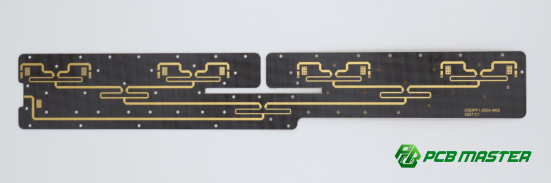
Rule #5: Proper Decoupling Capacitor Placement
Role of Decoupling Capacitors
Decoupling capacitors are essential components in PCB design that help maintain voltage stability and filter out noise. Their primary function is to provide a local reservoir of charge, ensuring that voltage fluctuations caused by sudden changes in current demand (e.g., when an IC switches on or off) are minimized. This helps keep the voltage supplied to sensitive components stable and prevents power noise, which can cause malfunction or interference.
Capacitors also act as filters, smoothing out high-frequency noise from the power supply and preventing it from reaching the components. This is particularly important in high-speed circuits where even small amounts of noise can lead to errors or degraded performance. Without properly placed decoupling capacitors, the power supply might not be able to support the ICs effectively, resulting in unstable operation.
Optimal Placement of Capacitors
To ensure decoupling capacitors work effectively, they should be placed as close as possible to the power supply pins of integrated circuits (ICs) . This minimizes the distance the capacitor needs to charge or discharge, improving its ability to stabilize voltage quickly. The closer the capacitor is to the IC, the better it can filter out noise and provide instantaneous charge during switching events.
In a typical high-frequency circuit, it's common practice to use multiple capacitors with different values. For example, a combination of a large-value capacitor (e.g., 10 µF) for low-frequency decoupling and a small-value capacitor (e.g., 0.1 µF) for high-frequency decoupling can provide broad-spectrum noise filtering. These capacitors should be placed on the same layer as the IC, ideally under the IC pins, with the shortest possible trace paths connecting them.
Following these placement guidelines ensures that the decoupling capacitors can effectively stabilize voltage and reduce noise, improving overall PCB performance and reliability in high-speed applications.
Rule #6: Use Solid Grounding Techniques
Importance of a Solid Ground Plane
A solid ground plane is essential for the reliable operation of a PCB, as it minimizes ground loops and ensures low impedance paths for current return. Ground loops occur when there are multiple paths for current to return to the power supply, which can introduce noise and cause voltage fluctuations. A continuous ground plane helps avoid this issue by providing a single, stable return path for all components.
In addition, a solid ground plane improves signal integrity by reducing the resistance and inductance in the return path. This ensures that signals flow smoothly, especially in high-frequency designs where even minor noise can affect performance. By using a dedicated ground plane, you also reduce the chances of voltage differences between various parts of the circuit, which can cause malfunction or instability in sensitive components.
Effective Grounding Strategies
Two common grounding techniques are star grounding and using a continuous ground plane. Star grounding involves connecting all the ground points to a single central point, like the spokes of a wheel. This helps prevent ground loops and ensures a stable reference for each component. However, star grounding is typically more effective for simpler, lower-speed circuits.
For more complex or high-speed designs, a continuous ground plane is generally preferred. A solid, uninterrupted ground plane provides a low impedance path for current return, reducing the likelihood of noise or voltage differences. This is particularly important for high-frequency signals where even small impedance variations can cause signal degradation.
Additionally, it is essential to ensure that all components are properly connected to the PCB's ground at multiple points. This can be achieved by strategically placing vias and traces to connect different layers of the ground plane, ensuring uniform grounding across the board.
By following these grounding strategies, you can ensure a stable, noise-free environment for your PCB, improving both performance and reliability.
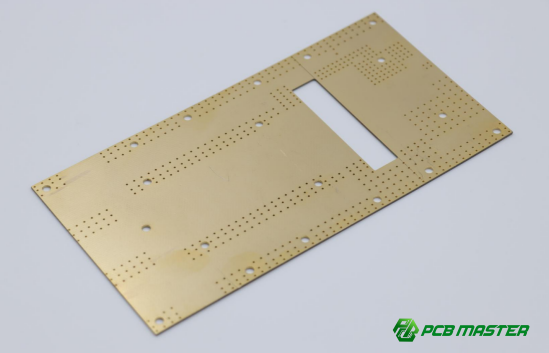
Rule #7: Avoid Overloading Components
Impact of Overloaded Components on Reliability
Overloading components in a PCB design can significantly affect their reliability and the overall performance of the circuit. When components, such as resistors, capacitors, or ICs, are subjected to excessive current or voltage beyond their rated capacity, they can overheat. This excess heat generation can lead to thermal stress, damaging the component's internal structure and potentially causing it to fail completely. For instance, an overloaded resistor may burn out, and an overloaded capacitor might suffer from leakage or rupture.
In addition to heat, overloading components can also create electrical stress that degrades their performance over time. Components that are stressed beyond their limits may exhibit reduced lifespan, erratic behavior, or permanent damage, which compromises the entire circuit’s functionality. Therefore, it is crucial to ensure that components are never pushed beyond their design specifications to maintain the reliability of the PCB.
How to Prevent Overloading
To prevent component overloading, it's essential to calculate current ratings and ensure that components are used within their specified limits. Each component has a maximum current or voltage rating, and exceeding these values can result in failure. To calculate these ratings, designers should refer to the component's datasheet and understand how the component will behave under different electrical conditions.
For example, when designing a power circuit with a resistor, it's important to calculate the power dissipation (P = I²R) to ensure the resistor can handle the current without overheating. A typical resistor in a power circuit may be rated for 0.25W. If the current exceeds the rating, the resistor can burn out. In this case, you might opt for a resistor rated for a higher wattage, such as 0.5W or 1W, to ensure reliability.
Similarly, when selecting capacitors for filtering in a power supply, it's essential to choose capacitors with the correct voltage rating. For example, a capacitor with a 25V rating should not be exposed to voltages higher than that. Selecting capacitors that are appropriately rated for the expected voltage and current ensures they perform effectively and last longer in the circuit.
By carefully calculating current ratings and properly selecting components based on their specifications, designers can prevent overloading and ensure the long-term reliability of their PCBs.
Rule #8: Optimize for Thermal Management
The Importance of Heat Dissipation in PCBs
Heat dissipation is a critical factor in PCB design because excess heat can significantly impact the life and reliability of electronic components. When components like transistors, resistors, or ICs generate more heat than they can dissipate, they can overheat. This can lead to thermal stress, reducing their lifespan or causing immediate failure. Overheating can also lead to inaccurate performance, such as signal distortion or erratic behavior in high-speed circuits.
In power circuits, the problem of heat is even more pronounced. High-power components, such as voltage regulators or power transistors, can generate large amounts of heat that must be managed efficiently. Without proper heat management, these components may degrade faster, potentially causing circuit failure or malfunction. Efficient heat dissipation helps maintain the integrity of the circuit, ensuring long-term reliability and stable operation.
Thermal Management Techniques
To manage heat effectively in a PCB, several techniques are commonly used. Heat sinks are one of the most straightforward solutions for dissipating heat. These are typically attached to heat-generating components, such as power transistors, and help spread the heat across a larger area to reduce the temperature of the component.
Via stitching is another technique, especially useful for multilayer PCBs. This involves adding small vias between layers to allow heat to pass through the PCB more effectively, helping to spread and dissipate the heat across the board. It’s particularly useful when high-power components are located on the surface layers of the PCB.
Thermal vias are specially designed holes that connect the top and bottom layers of the PCB, creating a path for heat to escape from the component to the PCB’s ground plane. This improves thermal conductivity and ensures that the heat is spread evenly, preventing localized hotspots that could damage components.
For high-power circuits, special design considerations should be taken into account. For instance, larger copper traces or heavier copper layers can improve heat dissipation by providing a better thermal path. Additionally, increasing the distance between high-power components can help to minimize the buildup of heat in localized areas.
By integrating these thermal management techniques into your PCB design, you ensure that your components stay within safe temperature ranges, improving their performance and lifespan. Proper thermal management is essential for ensuring that your high-power circuits function reliably and efficiently.
Rule #9: Minimize Crosstalk Between Signals
What is Crosstalk and How It Affects Your Design?
Crosstalk refers to the unwanted transfer of signals between adjacent traces on a PCB. It occurs when electrical signals from one trace "couple" into a nearby trace, causing interference and affecting signal quality. This happens because traces carrying high-frequency signals can induce unwanted voltages into neighboring traces through electromagnetic fields, which can cause errors or degradation in performance, especially in sensitive circuits.
In high-speed designs, even small amounts of crosstalk can cause significant problems, such as data corruption, timing errors, and jitter. For example, in a high-speed data transmission system, if one signal trace picks up noise from an adjacent trace, it could lead to miscommunication between components, disrupting the system’s intended operation. To avoid these issues, minimizing crosstalk is crucial for ensuring the integrity of high-speed signals and reliable circuit performance.
How to Minimize Crosstalk
Minimizing crosstalk involves controlling the proximity between signal traces and managing the layout carefully. Here are some key tips:
- Proper Trace Routing: Keep signal traces as far apart as possible, especially in high-speed circuits. Avoid running sensitive signal traces parallel to each other for long distances, as this increases the likelihood of signal coupling. Whenever possible, cross traces at right angles to minimize coupling.
- Use of Ground Traces: Place a ground trace or ground plane between signal traces to act as a shield. The ground trace helps absorb the electromagnetic field and reduces the coupling between adjacent signals. This is particularly effective in high-density designs where space is limited.
- Maintaining Adequate Spacing: Ensure that there is enough space between traces, especially for high-frequency signals. A typical guideline is to keep traces at least 3 times the width of the trace apart, but this may vary based on the frequency of the signals and the specific requirements of the design.
- Shielding and Separation: Using shielding techniques, such as placing power or ground planes between sensitive signal traces, can greatly reduce crosstalk. In some designs, using shielded traces (encasing traces in a grounded layer) can provide additional protection from interference. Additionally, keeping high-speed traces isolated from low-speed or analog traces helps reduce the potential for crosstalk.
For example, in a PCB design for a high-speed communication system, properly separating the data and clock lines using ground planes and increasing the trace spacing can significantly reduce the risk of crosstalk. This ensures clear, accurate signal transmission with minimal noise interference.
By following these strategies, you can reduce crosstalk, ensuring that signals remain clear and accurate, and your PCB operates as intended without signal interference or performance issues.
Rule #10: Follow the Design Rules for High-Speed Signal Integrity
Challenges of High-Speed PCB Design
High-speed PCB design presents unique challenges due to the nature of high-frequency circuits. One of the main concerns is signal reflection, which occurs when the impedance of the trace does not match the impedance of the component or the transmission line. This mismatch causes part of the signal to bounce back towards the source, leading to data errors or signal degradation. Signal reflection becomes more problematic as the frequency of the signal increases, making it a critical issue in high-speed circuits.
Another challenge is jitter, which refers to small, random variations in the timing of a signal. In high-speed designs, even tiny deviations in signal timing can lead to incorrect data interpretation or timing errors, which can significantly affect the performance of the system. Therefore, managing signal integrity in high-speed designs requires careful planning and attention to detail to prevent reflection and jitter from affecting the circuit.
Key Design Considerations for Signal Integrity
To ensure high-speed signal integrity, several design considerations must be followed:
- Controlled Impedance Traces: High-speed signals need to travel along traces with a controlled impedance to avoid reflections. This is achieved by designing traces with consistent width and spacing relative to the PCB's copper layers and the dielectric material. Using impedance-controlled routing ensures that signals travel smoothly without interference, especially in high-frequency applications like data transmission.
- Avoiding Sharp Corners: Sharp corners in signal traces can cause impedance discontinuities, which lead to signal reflection. To prevent this, traces should follow gradual curves and avoid 90-degree bends. Instead, use rounded corners or 45-degree angles, which help maintain consistent impedance and reduce the likelihood of signal loss or distortion.
- Proper Termination: Signal traces need to be terminated properly to prevent reflections at the end of the trace. Termination resistors are typically used to match the impedance of the trace and the component, ensuring that signals don’t bounce back when they reach the end of the line. For example, using series or parallel termination resistors can effectively reduce reflections and stabilize the signal.
A real-world example of high-speed PCB routing is designing a high-speed data bus in a computer motherboard. The data traces for the bus must be impedance-controlled to ensure that signals do not degrade as they travel between components. Additionally, traces should avoid sharp bends, and proper termination should be used to ensure that high-speed signals are transmitted with minimal distortion.
By carefully considering these design principles, you can maintain the integrity of high-speed signals, minimize reflections and jitter, and ensure the reliability and performance of your high-speed circuits. Proper signal integrity management is essential for ensuring that high-speed designs operate as intended and meet the demands of modern electronics.
Conclusion
The top 10 essential PCB design rules we've discussed are crucial for ensuring the reliability and performance of your circuit boards. From maintaining proper trace widths to optimizing thermal management and minimizing crosstalk, each rule plays a vital role in creating high-quality PCBs. By following these guidelines, you can avoid common pitfalls such as signal degradation, component overloading, and thermal stress, ultimately leading to a more stable and efficient design.
As a designer, adhering to these rules is crucial for creating professional, error-free PCBs that meet the demands of modern electronics. Remember, every decision made during the design process—from trace routing to proper grounding—affects the overall performance and longevity of the circuit. Implementing these best practices will not only enhance the reliability of your designs but also improve their manufacturability, saving you time and costs in the long run.
For those looking for high-quality PCB and PCBA solutions, PCBMASTER is a trusted supplier with years of experience in the industry. We specialize in providing top-tier PCB and PCBA products, offering reliable, high-performance solutions for your electronic projects. Let us help you bring your designs to life with precision and quality.
FAQs
Why are PCB trace widths important?
Trace width is critical because it directly affects the current-carrying capacity and heat dissipation of the PCB. If the trace width is too narrow, it may not handle the required current, leading to excessive heat generation and potentially causing the trace to overheat or even fail electrically. Conversely, too wide a trace can waste valuable PCB space. Using the correct trace width ensures both safe current handling and efficient heat dissipation.
How can I avoid crosstalk in my PCB design?
To minimize crosstalk between signal traces, follow these guidelines:
- Maintain proper trace spacing: Keep signal traces far enough apart to reduce electromagnetic coupling.
- Use ground planes: Place a ground plane or ground traces between sensitive signal traces to shield them from each other.
- Keep signal traces short: Reduce the length of parallel traces carrying high-speed signals to limit the opportunity for signal interference. These practices help maintain signal integrity and prevent unwanted coupling.
What are decoupling capacitors, and why are they necessary?
Decoupling capacitors are used to filter out noise and stabilize voltage in a PCB. They act as local energy reservoirs, supplying current when voltage dips or fluctuations occur, and absorbing excess voltage during spikes. This ensures a steady voltage supply to sensitive components, reducing the impact of noise and improving overall circuit reliability. Proper placement of decoupling capacitors close to the power pins of ICs is crucial for optimal performance.
How can I ensure my PCB is thermally stable?
To keep your PCB thermally stable, you should implement heat dissipation techniques:
- Use heat sinks to disperse heat from high-power components.
- Implement thermal vias to transfer heat between layers, especially for multi-layer PCBs.
- Design solid copper planes that provide a large area for heat dissipation. These methods help prevent overheating, ensuring the PCB operates efficiently and reliably over time.
What is the best way to calculate trace widths for my PCB?
To calculate the correct trace width, you can use IPC-2221 standards or online trace width calculators. These tools take into account the current requirements, PCB material properties, and the desired temperature rise to determine the appropriate width. The goal is to ensure that the trace can handle the current without excessive heating, which is key to preventing failure and ensuring long-term reliability.
About the Author

Carol Luo
PCB Design EngineerI'm Carol, a PCB Engineer at PCBMASTER with experience in PCB design and manufacturing engineering since 2018. I focus on translating engineering requirements into reliable PCB solutions, with expertise in stack-up design, material selection, and design-for-manufacturing (DFM). I share practical engineering insights from real-world PCB design and production experience.
Visit Carol Luo's Profile