Key Control Points for Laser Etching White Oil Blocks on PCBs: From Design to Final Inspection
Laser etching of white oil blocks on PCBs is more than just a marking process; it's a crucial step in ensuring product traceability and quality. These seemingly simple engravings play a key role in the overall manufacturing process, requiring precise control at every stage—from design to production. A slight misstep in the etching or material handling can lead to issues that affect the final product's performance and reliability.
Despite their importance, this process is often overlooked, leading to potential challenges in manufacturing efficiency and quality assurance. To achieve optimal results, careful attention to detail is necessary at every stage, whether it’s in the design files, material preparation, or post-etching inspection. Properly controlled white oil blocks are essential for maintaining product integrity and ensuring smooth assembly and testing workflows.
Let’s explore how proper management of each step can ensure the success of laser etching on PCBs, guaranteeing quality and consistency throughout the production process.
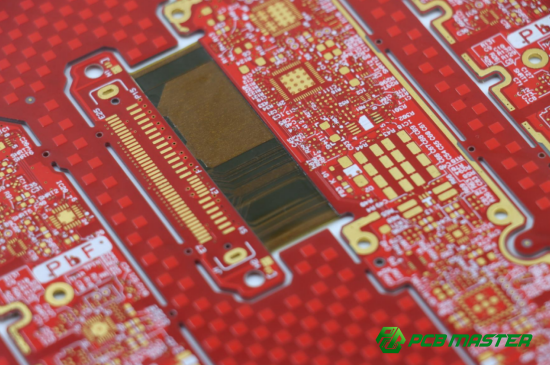
What is a Laser Etched White Oil Block on a PCB?
A laser-etched white oil block is a specific marking applied to printed circuit boards (PCBs) during the manufacturing process. It’s essentially a layer of white ink (called white oil) that is applied to the PCB’s surface and then etched using a laser. This process burns away the white oil in certain areas, leaving behind precise, high-contrast markings, such as product information, identification numbers, or symbols.
These markings are not just for decoration; they serve as critical identifiers and help provide valuable data for the PCB's role in the larger product lifecycle. Laser etching ensures that the markings are durable and resistant to wear, unlike other methods like ink printing. They are usually located in accessible areas of the board, making them easy to read during various stages of production and testing.
In the PCB manufacturing process, the role of the laser-etched white oil block is crucial for ensuring traceability, enhancing visual clarity, and enabling easy identification during assembly, testing, and repair stages.
Importance of Laser Etched White Oil Blocks
Laser-etched white oil blocks play a significant role in maintaining the identity and quality of a product throughout its lifecycle. These markings typically contain critical information, such as product versions, serial numbers, and manufacturing dates, which are essential for product traceability.
- Product Identity and Quality: These blocks help maintain the integrity of the PCB by ensuring that each unit can be uniquely identified throughout the production and testing phases. For instance, if a defect arises in a specific batch, the white oil block can assist in identifying the exact unit affected, making it easier to trace the issue back to its source. This enhances overall product quality by allowing manufacturers to pinpoint problems and take corrective actions quickly.
- Traceability and Anti-Counterfeiting: The presence of a clear, permanent marking helps to fight counterfeiting in the electronics market. Laser etching produces high-contrast, tamper-resistant marks that are difficult to replicate or alter, providing an extra layer of security against counterfeit products. By ensuring that the PCB has a unique, traceable identity, manufacturers can improve trust in the authenticity of their products, thus protecting both the brand and the consumer.
For example, when a PCB is part of a larger electronic device, like a smartphone, the white oil block allows manufacturers and repair technicians to easily identify the board and verify its specifications during repairs or replacements. This increases both the efficiency of repairs and the reliability of the product in the market.
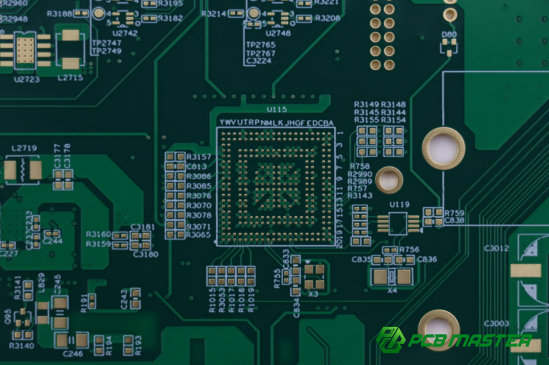
How to Handle Laser Etched White Oil Blocks in PCB Design?
To handle laser-etched white oil blocks in PCB design, ensure they are independently designed as graphic objects in the Gerber file, avoid overlap with copper layers, follow size and spacing guidelines, and place them in accessible, clear locations for optimal readability and traceability.
Why is Independent Object Design Important for White Oil Blocks?
Independent object design is crucial when creating white oil blocks on PCBs to ensure they function properly and do not interfere with other layers of the board. The white oil block should be designed as a separate graphic object, such as lines or polygons, in the Gerber file. This means the block is treated as a standalone element, rather than just a text annotation or part of a larger design element.
By separating the white oil block from other design elements, manufacturers can ensure that it is properly etched during production. This design approach helps avoid errors where the white oil block could be misaligned or overlapped with other PCB features like copper traces or vias. In the Gerber file, these blocks should be placed on the character layer (often referred to as the solder mask or top layer) to ensure they are clearly distinguishable from the circuit design.
For instance, if you are designing a PCB that includes a white oil block for product identification, ensure it’s placed on a dedicated layer in the Gerber file. This will allow the laser to properly etch the block without confusion.
How Should White Oil Blocks Relate to Other PCB Layers?
White oil blocks must never overlap with copper layers or traces, as this can cause issues during the laser etching process. The reason for this is that the laser used to etch the white oil block requires a smooth, unobstructed surface. If there is a copper trace or pad under the white oil block, it can create an uneven surface, which results in inconsistent etching, potential damage to the PCB, or incomplete removal of the white oil.
To avoid this issue, ensure that the area beneath the white oil block is "clear" in the design. This means removing copper traces or vias from beneath the block and ensuring the space is flat and even. In the Gerber file, this can be accomplished by creating a region where copper layers are absent under the white oil block.
For example, a PCB design for a consumer electronics device might place a white oil block above an area of the PCB with no copper traces, ensuring the laser etching process is clean and precise.
What Are the Size and Spacing Guidelines for White Oil Blocks?
When designing white oil blocks on a PCB, specific size and spacing guidelines must be followed to ensure legibility and avoid defects during etching.
- Minimum Line Width and Character Height: The minimum line width for the white oil block is typically around 0.15mm (6 mils). Anything smaller could cause the etching to be unclear or lead to broken lines. The character height should also be at least 1.0mm to ensure that it’s easily readable by the human eye.
- Safe Spacing: It’s essential to maintain proper spacing around the white oil block to avoid interference with other PCB components, such as pads, vias, or traces. A minimum spacing of 0.2mm (8 mils) is recommended between the white oil block and any other critical component to ensure that the etching process does not affect these areas.
For instance, if you're designing a PCB for a medical device, ensuring the white oil block has adequate space from nearby components can prevent the laser from damaging any sensitive circuitry during etching.
What Are the Content and Location Requirements for White Oil Blocks?
The content of the white oil block should always include essential identification information for the PCB, such as the product version, serial number, or manufacturing code. This information is crucial for product traceability and is often used for quality control or repairs.
- Required Information: The white oil block should clearly display key data such as the product model, version number, and production date. This ensures that the PCB can be traced back to its production batch in case of issues.
- Positioning the White Oil Block: When deciding where to place the white oil block on the PCB, ensure it is located in an area that is both visible and accessible. Avoid placing the block in areas that could be obscured by other components or installation parts. It’s also important to avoid placing it in high-stress zones of the PCB or near high-frequency signal lines, as these areas could be subject to interference or mechanical stress.
For example, placing the white oil block near the edge of the PCB, in an open area where it won’t be blocked by components, ensures it remains legible throughout the product's lifecycle.
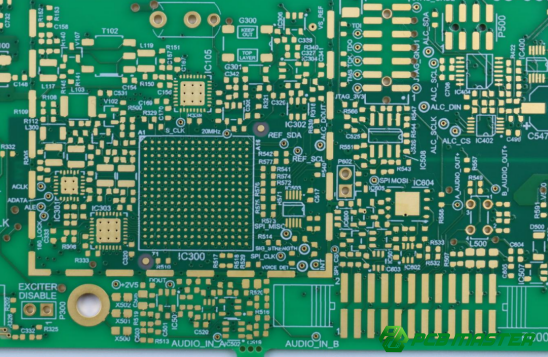
What Are the Key Control Points for Laser Etched White Oil Blocks in PCB Production?
The key control points for laser-etched white oil blocks in PCB production include selecting the right white oil, ensuring even application and proper curing, and maintaining a clean PCB surface to ensure precise etching and high-quality markings.
Materials and Pre-production Preparation
Choosing the Right White Oil and Material Inspection The white oil used for laser etching must be specifically designed for this purpose. It is different from standard ink or silkscreen materials. Laser-grade white oil has properties that allow it to absorb the laser's energy effectively, ensuring precise etching and a high-contrast finish. This oil helps achieve clean, crisp edges when burned away by the laser, making it ideal for creating durable, readable markings on the PCB.
Before using the white oil, a thorough material inspection is essential. Manufacturers need to check the material’s color, viscosity (how thick or thin it is), and expiry date. If the white oil is too thick, it may not burn away cleanly; if it’s too thin, the etching might not be clear or could cause smearing. These inspections ensure that the material meets the required quality standards before proceeding with printing.
White Oil Printing and Curing Requirements Once the correct white oil is selected, the next step is to apply it to the PCB. This is typically done through a silkscreen or spray coating process. The oil layer needs to be applied evenly and consistently, with a typical thickness of 15-25 microns, depending on the laser’s energy settings. An inconsistent layer can cause uneven etching or lead to defects.
After application, the white oil must undergo curing to ensure it adheres properly to the PCB surface. The curing process, which may involve heat or UV light, must follow the manufacturer's recommendations to avoid insufficient curing. Incomplete curing can result in poor adhesion, causing the white oil to peel off during etching or exposure to heat.
For example, in high-end consumer electronics like smartphones, where reliability is critical, improper curing of the white oil could lead to smudged markings or even loss of essential traceability information.
How to Ensure Board Cleanliness?
Cleaning Steps and Their Importance Before the laser etching process begins, the PCB must be thoroughly cleaned to remove any dust, fingerprints, oils, or other contaminants from the surface. Any debris or residue on the board can interfere with the laser's ability to etch cleanly and consistently. To ensure a smooth surface, the cleaning process generally involves using isopropyl alcohol or specialized PCB cleaners. A lint-free cloth or a soft brush can be used to wipe the surface, ensuring that no fibers or particles remain.
Proper board cleanliness is vital not just for etching but also for ensuring the final product meets quality standards. Dirty boards can result in poorly etched white oil blocks, which can cause problems during assembly, testing, or after delivery. Clean surfaces allow for clear, high-contrast markings that remain readable and intact over the life of the product.
Consequences of Poor Cleaning Failure to clean the board adequately before etching can lead to several issues. First, contaminants like dust or grease can interfere with the laser, leading to uneven etching or blurred markings. This could make the white oil block unreadable, reducing the PCB’s traceability and increasing the risk of errors in later stages of assembly or repair.
In some cases, poorly cleaned boards can even cause the laser to burn the contaminants into the surface, creating permanent marks or defects on the PCB. For example, in a medical device, where traceability is essential for regulatory compliance, these defects could result in significant delays or even product recalls.
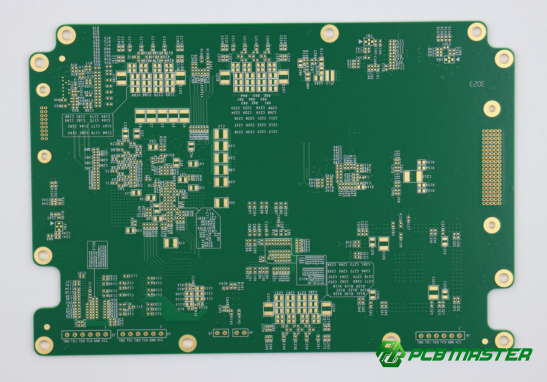
How to Optimize the Laser Etching Effect of White Oil Blocks?
To optimize the laser etching effect of white oil blocks, calibrate the laser equipment for focus, power, and speed, adjust parameters for each white oil batch, and perform a first article inspection to ensure the etching is clear, precise, and meets quality standards.
Laser Equipment and Parameter Calibration
What are the steps for calibrating laser equipment and what should be considered? Proper calibration of the laser equipment is essential to achieve high-quality etching results. Calibration involves adjusting the laser’s focus, alignment, and power settings to ensure the etching is precise and uniform. This process typically starts with checking the laser's focal point to ensure that it is at the correct distance from the PCB surface. A misaligned focal point can result in blurred or uneven etching.
Next, the laser’s power output should be tested. Too much power can burn through the PCB, while too little can cause the etching to be too shallow. The laser’s speed and pulse frequency also need to be calibrated to match the thickness and type of white oil used. This ensures a clean, sharp etching with clear character outlines.
How does parameter optimization affect the etching results? Optimizing laser parameters—such as power, speed, frequency, and pulse width—is crucial to achieving the desired etching quality. If the parameters are set incorrectly, it can lead to poor etching results such as inconsistent depth, smudged lines, or incomplete removal of the white oil. Each batch of white oil may require different settings, so testing and adjusting the parameters for each new material batch is essential.
For example, if you're etching a PCB for a high-precision device like a medical instrument, optimizing these settings ensures that the markings remain clear and durable over time, helping to maintain product traceability.
The Importance of First Article Inspection
What is the first article inspection process and what standards should be followed? The first article inspection (FAI) is the process of examining the first PCB that is produced after the laser etching parameters and settings have been adjusted. The FAI ensures that the etching results meet the required standards for quality, clarity, and accuracy. The inspection typically involves visually inspecting the white oil block for clear, readable text and symbols, checking the depth of the etching, and verifying that there is no damage to the PCB’s surface.
Key standards to follow during the FAI include ensuring that the white oil block is fully etched, with no smudging or leftover white oil residue. The etching should have sharp, clear edges and be deep enough to provide good contrast against the background color of the PCB.
What happens if the first article inspection fails, and how is it handled? If the FAI reveals issues—such as unreadable markings, inconsistent etching depth, or visible defects—the laser parameters must be re-evaluated and adjusted. Common fixes include changing the laser’s power settings, adjusting the speed, or recalibrating the equipment. If the problem persists, it may be necessary to inspect the white oil used or recheck the cleanliness of the PCB before proceeding with another test.
Failure to pass the first article inspection can lead to delays in production and increased costs, as it may require redoing the etching process. For example, in the production of PCBs for consumer electronics, failure to meet FAI standards could delay product launches and increase manufacturing costs, making it essential to pass the inspection on the first try.
How to Ensure the Quality of Laser Etched White Oil Blocks?
To ensure the quality of laser-etched white oil blocks, perform thorough post-etching cleaning, conduct adhesion and clarity tests, and complete a final inspection for burns, carbonization, and alignment with the Gerber file.
Post-Etching Cleaning and Contamination Prevention
How should post-etching dust be cleaned? After the laser etching process, the PCB surface will often have small particles or dust left behind. These particles must be carefully cleaned to prevent them from affecting the quality of the final product. The best way to clean these particles is by using a soft brush or compressed air to gently remove the dust without disturbing the etched markings. For a more thorough cleaning, a lint-free cloth soaked in isopropyl alcohol can be used to wipe the surface, ensuring that no particles remain.
Cleaning is critical because even the smallest particles of dust or debris can interfere with the visibility of the etched white oil block, causing defects or unreadable markings. For example, in applications where traceability is critical, such as in medical devices, any contamination can make the identification information unclear, leading to potential regulatory issues.
How can contamination be prevented? Contamination prevention begins with ensuring a clean working environment. The area where the etching and cleaning take place should be free from dust, moisture, and oils. Workers should use clean gloves to handle PCBs, preventing fingerprints or oils from affecting the white oil block's adhesion. Also, the laser etching system should be regularly maintained to avoid any contamination from the equipment itself. By creating a clean production environment and handling PCBs with care, you can prevent contamination and maintain the clarity of the white oil markings.
Inspection Standards and Adhesion Testing
How do you test for clarity and contrast of the etched characters? Once the white oil block is etched onto the PCB, it is essential to check the clarity and contrast of the etched characters. The markings should be crisp, clear, and legible. The contrast between the white oil block and the underlying PCB surface (usually dark green or black) should be high enough to ensure visibility. Poor contrast can make the markings hard to read, especially under low light or during assembly processes.
To verify clarity and contrast, use a magnifying tool or microscope to examine the etched characters closely. This ensures there are no smudged or blurry edges. For example, when etching PCBs for automotive applications, where readability is essential for safety and maintenance, it is important that the characters are clear and stand out against the PCB's background.
How is adhesion tested? Adhesion testing is a critical step to ensure that the white oil does not peel or fade during the PCB’s use. The most common method of adhesion testing is the "tape test." A piece of adhesive tape is applied to the white oil block and then quickly pulled off. If any white oil comes off with the tape, the adhesion is considered insufficient.
Good adhesion is particularly important in products that experience high wear and tear, such as mobile devices or industrial equipment, where the white oil block could be exposed to friction or chemicals. For example, in the manufacturing of smartphone PCBs, weak adhesion could result in the loss of essential identification markings during assembly or use.
Final Inspection Standards
How to check for burns, carbonization, or damage? After the etching process, it is essential to perform a final inspection to ensure that the white oil block is free from burns, carbonization, or any other damage. Burn marks or carbonized edges can be a sign of overexposure to the laser, which not only ruins the visual quality but could also affect the PCB's integrity. Use a microscope or magnifying glass to inspect the etched block for any signs of overburning or blackened areas, which indicate that the laser settings need adjustment.
For example, when producing PCBs for critical medical devices, even a slight burn mark could affect the functionality of the device or cause regulatory problems, so these defects must be avoided.
Does the white oil block match the Gerber file specifications? It is also important to check whether the etched white oil block matches the specifications in the Gerber file. The position, size, and shape of the white oil block must correspond exactly to the design in the Gerber file. Any misalignment or size discrepancy can cause issues during assembly or affect the product’s traceability. Comparing the finished PCB to the Gerber file ensures that the design integrity has been maintained.
For example, if the white oil block is misaligned on a PCB used in consumer electronics, it could lead to problems in product assembly or damage the reputation of the brand. Therefore, the final inspection should include a thorough comparison to ensure that the design matches the original specifications.
Common Issues with Laser Etched White Oil Blocks and Their Solutions
Common issues with laser-etched white oil blocks, such as unclear etching, poor adhesion, and overlap with PCB traces, can be addressed by ensuring even white oil application, optimizing laser parameters, proper curing, and careful design and production measures to prevent misalignment.
Why is the White Oil Block Etching Unclear?
Uneven White Oil Coating One common reason for unclear laser etching is uneven application of the white oil coating. If the layer of white oil is too thick in some areas or too thin in others, it can result in inconsistent etching, leading to unclear or blurry markings. This issue occurs because the laser's energy distribution is affected by the varying thickness of the white oil, causing some parts to burn away more effectively than others.
Solution: To avoid this, ensure the white oil is applied evenly across the entire surface. Use proper equipment such as a silkscreen printer or automated spray system for uniform coating. Checking the oil’s viscosity and adjusting it if necessary can also help maintain consistency. For example, in high-precision applications like aerospace, even a small inconsistency can make the markings unreadable, so it’s important to keep the coating as uniform as possible.
Laser Parameter Settings Issues Incorrect laser settings, such as too high or too low power, incorrect speed, or improper frequency, can also result in unclear etching. If the laser power is too high, it can burn through the white oil and damage the PCB; if it’s too low, the etching might be too shallow or incomplete, resulting in faint characters.
Solution: Proper calibration of the laser equipment is essential. Adjust the laser’s power, speed, and frequency based on the type of white oil used and the PCB material. Regular testing and optimization of these parameters for each batch of white oil will ensure clear and consistent etching results.
Why Does the White Oil Block Have Poor Adhesion?
Insufficient Curing If the white oil isn’t properly cured after application, it won’t adhere well to the PCB surface. Insufficient curing can cause the white oil to peel off during laser etching or during later stages of the PCB’s lifecycle, such as during assembly or handling.
Solution: Ensure that the curing process follows the manufacturer’s guidelines. The curing time and temperature should be carefully monitored to avoid under-curing. For example, in PCB production for consumer electronics, where reliability is key, curing the white oil for the recommended time ensures that the markings remain intact during assembly and product usage.
Laser Etching Errors Another reason for poor adhesion could be errors during the laser etching process. If the laser is too powerful or incorrectly focused, it can cause the white oil to be removed unevenly or burn off, damaging the adhesive properties.
Solution: Make sure the laser settings are optimized and consistent. Before proceeding with large-scale production, conduct a first article inspection to confirm that the adhesion is intact and the etching process is correct. For example, in medical device manufacturing, where precision is crucial, testing the adhesion ensures that critical identification markings will not wear off over time.
How to Prevent White Oil Block Overlap with PCB Traces?
Design Considerations To avoid overlapping of the white oil block with PCB traces, it is essential to follow design guidelines during the PCB layout phase. The white oil block should be placed on a separate layer (usually a character or silkscreen layer) in the Gerber files, ensuring it doesn’t intersect with critical layers like the copper or signal traces. Additionally, maintain enough spacing between the white oil block and any PCB features, such as pads or vias.
Solution: Ensure the Gerber files clearly define areas where the white oil block can be placed without interfering with other components. For instance, avoid placing the block over high-frequency signal traces or areas that experience mechanical stress. Proper planning in the design phase prevents errors during manufacturing and keeps the PCB functional.
Production Precautions During production, steps should be taken to ensure the white oil block does not overlap with traces. Before applying the white oil, review the PCB’s layout and double-check that no traces are underneath the planned white oil block area. If necessary, make adjustments to the design or placement of components.
Solution: In the production stage, use advanced tools such as automated optical inspection (AOI) to detect any misplacement of the white oil block. Regularly check the alignment of the PCB layers during the production process to avoid any overlap. For example, in PCB manufacturing for automotive applications, where reliability is key, ensuring that no overlap occurs guarantees that the board will function correctly without signal interference.
Conclusion
The effective control of laser-etched white oil blocks on PCBs is crucial for ensuring high product quality, traceability, and production efficiency. Proper design, material selection, laser parameter calibration, and thorough inspection processes are all integral parts of maintaining clear, durable markings that will not only withstand the manufacturing and assembly processes but also ensure the long-term functionality and identification of the PCB. This attention to detail enhances both the reliability and traceability of the final product, making it easier to track and maintain, especially in industries like automotive, medical devices, and consumer electronics.
For companies looking to achieve consistent, high-quality results, partnering with experienced suppliers like PCBMASTER can provide significant advantages. As a seasoned PCB and PCBA provider, PCBMASTER is dedicated to delivering top-tier products with a focus on quality control, traceability, and efficient production processes. With years of expertise in the industry, PCBMASTER ensures that each PCB meets the highest standards, supporting the success of businesses in diverse sectors.
FAQs
1. Why must the line width of white oil blocks be ≥0.15mm?
A minimum line width of 0.15mm is crucial for ensuring that the characters in the white oil block are clear and legible. If the line width is below this threshold, the laser etching process may not effectively carve out the fine details, leading to unclear or broken characters. Thin lines may also get blurred or disconnected during etching, making them difficult to read with the naked eye, especially in small-scale applications like PCB assembly.
2. What are the consequences of incomplete curing of laser-etched white oil blocks?
Incomplete curing of the white oil results in poor adhesion and can lead to several issues during the laser etching process. If the oil layer is not fully cured, it may smudge, spread unevenly, or fail to etch clearly. The laser may burn off parts of the white oil unevenly, resulting in blurred markings or weak contrast. Additionally, improper curing can compromise the durability of the markings, causing them to peel off or wear away during assembly or product usage, thus affecting both the aesthetics and traceability of the PCB.
3. What are the requirements for the character height of laser-etched white oil blocks?
Character height must typically be ≥1.0mm to ensure readability. Smaller characters may be hard to identify, especially when viewed under poor lighting conditions or by automated equipment. Larger character sizes improve visibility and ensure that the white oil markings are clear and legible across different production stages, reducing the likelihood of errors or confusion during assembly, testing, or maintenance.
4. How to control the cleanliness of laser-etched white oil blocks during production?
To maintain cleanliness during production, the PCB surface must be thoroughly cleaned before applying the white oil. This involves removing any dust, grease, or fingerprints using isopropyl alcohol or a specialized PCB cleaner. After etching, it’s important to clean any leftover powder or debris using a soft brush or compressed air. Careful handling and maintaining a dust-free environment during the entire process will prevent contamination and ensure that the white oil markings are not obstructed or unclear.
5. How to confirm the accuracy of the position of laser-etched white oil blocks?
The position of the white oil block should be compared with the Gerber file to ensure it is correctly placed on the PCB. This can be done using automated optical inspection (AOI) systems or by manual inspection with high-precision tools. By matching the actual placement of the white oil block with the design specifications in the Gerber file, manufacturers can confirm the accuracy of the position, preventing misalignment and ensuring that critical markings do not interfere with other components or signal traces on the PCB.
About the Author

Carol Luo
PCB Design EngineerI'm Carol, a PCB Engineer at PCBMASTER with experience in PCB design and manufacturing engineering since 2018. I focus on translating engineering requirements into reliable PCB solutions, with expertise in stack-up design, material selection, and design-for-manufacturing (DFM). I share practical engineering insights from real-world PCB design and production experience.
Visit Carol Luo's Profile