







Test a Circuit Board with a Multimeter: Easy Methods for Beginners and Engineers
Circuit boards are at the heart of nearly every electronic device, and even a minor fault can lead to performance issues or complete failure. When a PCB stops working as expected, identifying the root cause quickly is essential for both beginners and experienced engineers.
Fortunately, a multimeter is one of the most practical and accessible tools for diagnosing circuit board problems. From checking electrical connections to verifying voltage levels, it can help uncover a wide range of common faults without requiring expensive test equipment.
However, obtaining accurate results depends on using the right testing methods and understanding what the readings mean. By following a structured approach, it becomes much easier to pinpoint issues and avoid unnecessary component replacement.
The following guide explains how to test a circuit board with a multimeter, covering continuity checks, short-circuit detection, voltage measurements, component testing, and a step-by-step troubleshooting process.
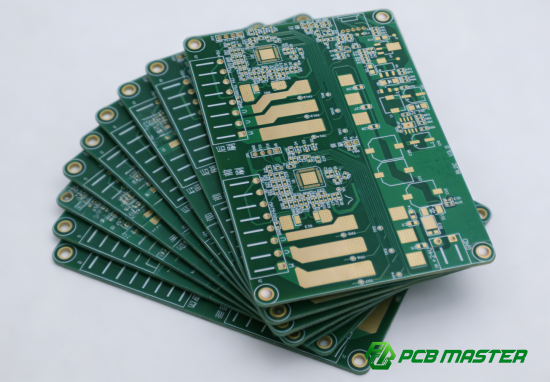
What Do You Need Before Testing a Circuit Board with a Multimeter?
Before testing a circuit board with a multimeter, you need the right tools, a safe working setup, and a basic understanding of what you are inspecting. Good preparation is important because most PCB testing mistakes come from rushing into measurements without checking the board condition first. Proper setup improves accuracy and helps avoid damaging components.
Essential tools for PCB testing
You need a digital multimeter, proper probes, and a stable working setup to test a circuit board safely and accurately.
A basic PCB testing setup for multimeter troubleshooting does not require expensive equipment, but it must be reliable.
Key tools:
- Digital multimeter (DMM)Used for measuring voltage, resistance, and continuity. For example, a standard handheld multimeter is enough for checking a phone charger PCB or power supply board.
- Test probes (sharp tips preferred)Fine tips help you touch small solder joints or IC pins without shorting nearby connections.
- PCB schematic (if available)A circuit diagram helps you know what voltage or resistance you should expect at each point.
- Stable work surface + good lightingA simple desk with a lamp makes it easier to see tiny cracks or burnt parts.
Practical example:
If you are troubleshooting a power supply board, the multimeter helps you check whether 5V or 12V is actually reaching the output terminals, while the schematic tells you where to measure.
Safety precautions
Always disconnect power, discharge stored energy, and prevent static electricity before testing a circuit board.
PCB testing involves both electrical and physical risks. Even small boards can store energy or be sensitive to static damage.
Key safety steps:
- Turn off and unplug the deviceNever measure resistance or continuity on a powered board. For example, testing a TV power board while plugged in can damage the meter or board.
- Discharge capacitorsLarge capacitors can hold dangerous charge even after power is removed. A resistor can be used to safely discharge them.
- Use ESD protectionWear an anti-static wrist strap or touch a grounded metal object before handling the PCB. This prevents static electricity from damaging sensitive chips.
- Avoid shorting probesKeep probe tips controlled. Accidentally touching two pins on an IC can create a short circuit.
Practical example:
When testing a laptop motherboard, static discharge from your hand can permanently damage the CPU or memory chips even if the board looks fine externally.
Visual inspection before testing
A visual inspection helps you find obvious damage on a circuit board before using a multimeter, saving time and preventing incorrect measurements.
Many PCB faults can be detected just by looking closely, without any instruments.
Key inspection steps:
- Check for burnt or darkened areasThese often indicate overheating or component failure. For example, a burnt resistor near a power input usually signals overload.
- Look for cracked or broken componentsCapacitors may bulge, and connectors may loosen due to vibration or heat.
- Inspect solder joints carefullyCold solder joints look dull or cracked and can cause intermittent connections.
- Check for corrosion or dust buildupMoisture damage is common in outdoor or industrial boards.
- Look for broken PCB tracesFine copper lines may crack due to bending or impact.
Practical example:
In a non-working LED driver board, a simple visual check might reveal a blown capacitor or a broken solder joint, meaning you may not even need full multimeter testing.
Simple workflow:
- Turn off power
- Inspect both sides of the PCB
- Mark suspicious areas
- Then start multimeter testing
This approach ensures faster and more accurate circuit board troubleshooting with a multimeter .
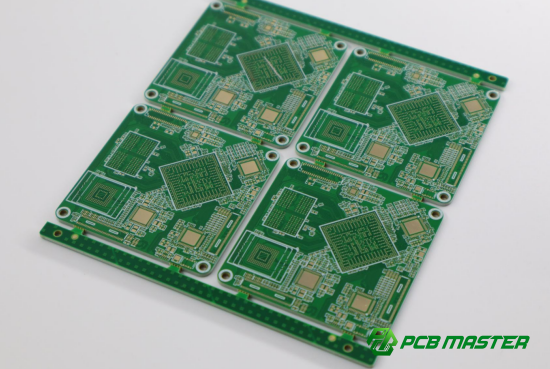
How Do You Test a Circuit Board for Continuity?
You test a circuit board for continuity by using a multimeter in continuity mode to check whether electrical paths (traces and connections) are complete or broken.
Continuity testing is one of the most common methods in circuit board troubleshooting with a multimeter . It helps you quickly find broken wires, damaged PCB traces, or poor solder joints.
Setting the multimeter to continuity mode
Set your multimeter to continuity mode so it can beep when two points are electrically connected.
Continuity mode is usually marked with a sound wave or diode-like symbol on the multimeter. When two points are connected properly, the meter produces a beep sound.
Step-by-step setup:
- Turn the multimeter dial to continuity mode
- Insert black probe into COM port
- Insert red probe into V/Ω port
- Touch probe tips together to confirm the beep works
Simple explanation:
Think of continuity mode like a “yes/no tester.” If electricity can pass through, it beeps “yes.” If not, it stays silent.
Practical example:
When testing a phone charging cable PCB or USB port board, continuity mode quickly tells you if the internal wire path is still intact.
Checking PCB traces and connections
You check PCB traces by placing probes on both ends of a copper path to confirm electrical connection.
PCB traces are thin copper lines that carry signals and power across the board. In PCB continuity testing with a multimeter , these are the first things you should check.
Step-by-step process:
- Identify the start and end of a trace (use PCB markings or schematic if available)
- Place one probe at each end of the trace
- Listen for the continuity beep or check resistance value
What you should expect:
- Beep / near-zero resistance: trace is good
- No beep / infinite resistance: trace is broken
Practical example:
On a LED driver board, you may test the trace between the power input and a resistor. If there is no beep, the board cannot deliver power to the circuit.
Identifying open circuits
An open circuit is identified when there is no continuity between two points that should be connected.
An open circuit means electricity cannot flow because the path is broken. This is a common failure in circuit board repair and multimeter diagnosis .
How to detect open circuits:
- Use continuity mode between two expected connected points
- Check resistance value (usually shows OL or very high resistance)
- Compare with a known-good board if available
Common causes:
- Broken PCB trace due to physical damage
- Cold solder joint (weak or cracked solder connection)
- Burned component internally disconnected
Practical comparison:
- Healthy circuit: beep sound, low resistance
- Open circuit: no sound, OL on screen
Real-life example:
In a power supply PCB, if the fuse connection shows no continuity, the circuit is open and the device will not turn on at all.
This method is a core step in how to test a circuit board with a multimeter for beginners and engineers , because it quickly isolates where the signal path is broken.
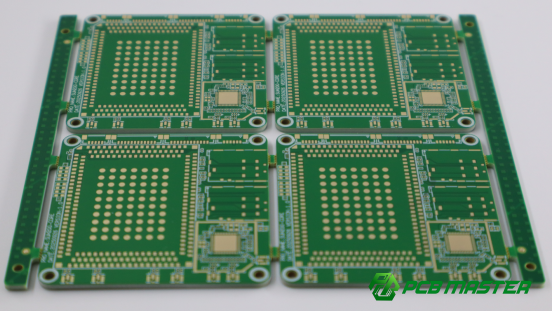
How Do You Check a Circuit Board for Short Circuits?
You check a circuit board for short circuits by using a multimeter in continuity or resistance mode to detect unintended low-resistance connections between two points, especially power and ground.
Short circuit testing is a key step in circuit board troubleshooting with a multimeter because it helps prevent damage when powering up a faulty PCB.
Common causes of short circuits
Short circuits on a PCB are usually caused by physical damage, soldering defects, or component failure that creates an unintended electrical connection.
Understanding the cause helps you narrow down where to test during PCB short circuit diagnosis with a multimeter .
Typical causes include:
- Solder bridgesExcess solder accidentally connects two nearby pins, especially on ICs with fine spacing.
- Damaged componentsA capacitor may fail internally and become a direct short.
- Burned or melted PCB tracesOverheating can cause copper traces to deform and connect unintentionally.
- Liquid or corrosion damageMoisture creates conductive paths between circuits.
Practical example:
On a smartphone charging board, liquid damage often creates a short between the 5V power line and ground, causing the device to shut down immediately.
Using continuity and resistance modes
You use continuity mode for quick checks and resistance mode for more accurate measurement of low-resistance short circuits.
In how to check a circuit board for short circuits with a multimeter , both modes are useful depending on how severe the fault is.
Step-by-step method:
- Set multimeter to continuity mode first
- Place probes betweenpower (VCC) and ground (GND)
- Listen for a beep (beep = possible short)
Then confirm using resistance mode:
- Switch to Ω (ohms) mode
- Measure resistance between VCC and GND
- Very low resistance (near 0Ω) usually indicates a short circuit
Simple comparison:
- Normal board: no beep, high resistance
- Shorted board: beep, near 0Ω reading
On a laptop motherboard, a reading of 0.2Ω between power rail and ground usually indicates a direct short caused by a failed capacitor or IC.
Locating the source of a short
You locate a short circuit by narrowing down the area step-by-step using resistance checks and dividing the circuit into smaller sections.
This is one of the most important skills in PCB repair and multimeter troubleshooting .
Step-by-step process:
- Start by checking main power rail to ground
- Divide the circuit into sections (power input, regulator, load side)
- Measure resistance in each section
- Identify the section with the lowest resistance
- Move closer component by component
Practical techniques:
- Thermal method (basic): a shorted component may heat up slightly when low voltage is applied
- Section isolation: remove or lift components to isolate the fault area
- Board comparison: compare readings with a working board if available
Real-life example:
In an LED driver board, if VCC to GND shows a short, you may isolate the output section and find that a single ceramic capacitor is causing the entire short.
Key idea:
Instead of guessing the fault, you “divide and conquer” the circuit until the shorted component or trace is identified.
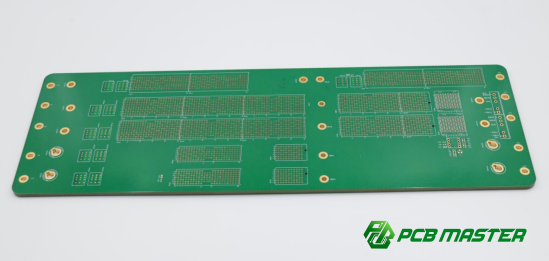
How Do You Measure Voltage on a Circuit Board?
Brief answer: You measure voltage on a circuit board by setting a multimeter to DC or AC voltage mode and placing probes across power points or test nodes to check if the circuit is receiving the correct electrical supply.
Voltage measurement is a core part of how to test a circuit board with a multimeter , because it confirms whether power is actually reaching different sections of the PCB.
Setting up the multimeter for voltage testing
You set up the multimeter for voltage testing by selecting the correct voltage mode, connecting probes properly, and ensuring the circuit is powered on safely.
Correct setup is essential for accurate PCB voltage testing with a multimeter and for avoiding damage to the meter.
Step-by-step setup:
- Turn the multimeter dial to DC voltage (V⎓) for most PCB work
- Use AC voltage (V~) only for mains or AC circuits
- Insert black probe into COM port
- Insert red probe into VΩ port
- Power on the circuit board before measuring
Simple explanation:
Think of voltage mode as “listening to pressure in electricity.” You are checking how strongly electricity is pushing through the circuit.
Practical example:
When testing a router PCB, you may set the meter to 12V DC range to check whether the power adapter is delivering correct voltage to the board input.
Measuring power rails and test points
You measure power rails and test points by placing probes on key voltage lines like VCC and GND to verify that the correct voltage is present in each section of the circuit board.
This is one of the most important steps in circuit board troubleshooting with a multimeter , because power issues are a common cause of failure.
Step-by-step process:
- Identify power rails (commonly labeled VCC, 3.3V, 5V, 12V)
- Place black probe on ground (GND)
- Touch red probe to the test point or power rail
- Read the voltage value on the screen
What to check:
- Input power at board connector
- Output of voltage regulators
- Voltage at IC supply pins
- Test points marked on PCB silkscreen
Practical example:
On a laptop motherboard, you might measure 19V at the input jack, then check 5V and 3.3V rails after the voltage regulator. If one rail is missing, that section is likely faulty.
Identifying abnormal voltage readings
You identify abnormal voltage readings by comparing measured values with expected specifications and checking for no voltage, low voltage, or unstable voltage signals.
This step is critical in PCB fault diagnosis using a multimeter , because incorrect voltage often points directly to the faulty section.
Common abnormal readings:
- No voltage (0V): broken trace, failed fuse, or no power input
- Low voltage: weak regulator, overloaded circuit, or partial short
- High voltage: regulator failure or wrong power supply
- Fluctuating voltage: unstable power IC or poor solder connection
Simple comparison:
- Healthy circuit: stable reading close to expected value
- Faulty circuit: unstable or incorrect voltage level
Practical example:
If a 5V rail on a USB PCB reads only 1.2V, it often indicates a shorted capacitor pulling the line down or a failing voltage regulator.
Key idea:
Voltage testing does not just tell you “power is present”—it tells you whether each section of the circuit board is working correctly or failing under load.
How Do You Test PCB Components with a Multimeter?
You test PCB components with a multimeter by measuring resistance, continuity, or diode characteristics to verify whether each component is functioning within expected electrical behavior.
This is a key step in circuit board testing with a multimeter , especially when voltage and continuity checks show a problem in a specific area.
Testing resistors and capacitors
You test resistors by measuring resistance value, and capacitors by checking for abnormal shorts or charge behavior using a multimeter.
Testing resistors:
- Set multimeter to Ω (ohms) mode
- Place probes across both resistor ends
- Compare reading with printed value or schematic
What results mean:
- Correct value: resistor is OK
- Infinite resistance (OL): open resistor (broken)
- Near 0Ω: shorted resistor
Real example:
In a power PCB, a 1kΩ resistor might read 0Ω, meaning it is shorted and causing incorrect current flow.
Testing capacitors:
- Set multimeter to resistance or capacitance mode (if available)
- Place probes across capacitor leads
- Watch how reading changes over time
What results mean:
- Resistance starts low then rises: normal charging behavior
- Constant 0Ω: capacitor is shorted
- Always OL: capacitor may be open
Real example:
On a USB charging board, a shorted capacitor often pulls the 5V line to ground, stopping charging completely.
Testing diodes and transistors
You test diodes using diode mode to check forward voltage, and transistors by measuring junction behavior between pins.
These checks are essential in PCB component testing with a multimeter because diodes and transistors control current direction and switching.
Testing diodes:
- Set multimeter to diode mode (symbol: arrow + line)
- Place red probe on anode, black on cathode
- Check forward voltage drop
What results mean:
- 0.5V–0.8V (silicon diode): normal
- OL in both directions: open diode
- 0V in both directions: shorted diode
Example:
A faulty rectifier diode in a power supply may show 0V both ways, causing AC leakage into DC output.
Testing transistors:
- Identify base, collector, and emitter
- Use diode mode to test junctions (base-emitter, base-collector)
What results mean:
- Normal diode-like readings: transistor OK
- Short between pins: transistor failed
- No junction response: open transistor
Example:
In a motor control PCB, a damaged transistor may prevent the motor from starting due to no switching action.
Checking fuses, switches, and connectors
You check fuses, switches, and connectors by testing continuity to confirm whether current can pass through them properly.
These are simple but critical parts in circuit board troubleshooting with a multimeter , often causing complete system failure when damaged.
Testing fuses:
- Set multimeter to continuity mode
- Place probes on both ends of fuse
Results:
- Beep / 0Ω: fuse is good
- No beep / OL: fuse is blown
Example:
A blown fuse in a TV power board will completely stop power delivery even if the rest of the circuit is fine.
Testing switches:
- Measure continuity while switching ON/OFF
- Check if circuit opens and closes properly
Results:
- ON = continuity, OFF = no continuity (normal)
- No change = faulty switch
Testing connectors:
- Probe both ends of connector pins
- Check for stable continuity and correct resistance
Example:
A loose USB connector on a PCB may show intermittent continuity, causing unstable charging or data loss.
Key idea:
In PCB component testing with a multimeter , these simple parts are often the easiest to check—but also the most overlooked sources of failure.
How Do You Troubleshoot a Circuit Board Step by Step?
You troubleshoot a circuit board step by step by starting with visual inspection, then checking continuity and shorts, followed by voltage testing, component testing, and finally confirming the repair through retesting.
This structured method is the foundation of circuit board troubleshooting with a multimeter , helping you avoid random testing and quickly isolate faults.
Step 1: Perform a Visual Inspection
You start troubleshooting by visually checking the PCB for obvious physical damage before using a multimeter.
A visual inspection often reveals faults that electrical testing would take much longer to find.
Key actions:
- Look for burnt components or dark spots
- Check for cracked capacitors or bulging parts
- Inspect solder joints for cracks or cold joints
- Check for corrosion, dust, or liquid damage
Simple explanation:
Think of this step like “looking for broken parts before turning on the machine.”
Real example:
In a power supply PCB, a visibly burnt resistor near the input section often indicates the exact failure point without further testing.
Step 2: Check for Open Circuits and Short Circuits
You use a multimeter to check continuity and resistance to find broken paths (open circuits) or unintended connections (short circuits).
This is a core step in how to test a circuit board with a multimeter for beginners and engineers .
Key actions:
- Use continuity mode to test PCB traces
- Check between power and ground for shorts
- Measure resistance to confirm suspicious areas
Interpretation:
- No beep / OL = open circuit
- Beep / near 0Ω = possible short circuit
Real example:
On a USB charging board, a short between 5V and GND usually causes the device to shut down immediately when powered.
Step 3: Measure Voltage at Key Test Points
You measure voltage at power rails and test points to confirm that each section of the circuit is receiving the correct power.
Voltage testing is essential in PCB fault diagnosis using a multimeter .
Key actions:
- Set multimeter to DC voltage mode
- Measure input power first
- Check voltage regulators and IC supply pins
- Compare readings with expected values
What to look for:
- Missing voltage = broken trace or fuse
- Low voltage = weak regulator or overload
- Unstable voltage = poor connection or failing component
Real example:
In a router PCB, 12V input may be present, but missing 3.3V output indicates a failed voltage regulator stage.
Step 4: Test Suspected Components
You test components like resistors, diodes, and capacitors to confirm whether a specific part is causing the fault.
This step is used in PCB component-level troubleshooting with a multimeter .
Key actions:
- Test resistors with ohms mode
- Test diodes using diode mode
- Check capacitors for shorts
- Test fuses and connectors for continuity
Simple logic:
Only test parts located near the fault area identified in earlier steps.
Real example:
If a 5V rail is shorted, testing nearby capacitors often reveals one capacitor reading 0Ω, indicating it is the failed component.
Step 5: Verify the Repair and Retest the Board
You verify the repair by retesting all key electrical points to ensure the circuit works normally before final use.
This step confirms successful circuit board repair and multimeter validation .
Key actions:
- Recheck continuity on repaired traces
- Measure voltage again at all test points
- Confirm no short circuits exist
- Power on the board under safe conditions
Comparison:
- Before repair: missing voltage, shorts, or open circuits
- After repair: stable voltage and correct continuity
Real example:
After replacing a shorted capacitor on a power board, retesting shows stable 5V output and normal device operation.
Key idea:
Never assume a repair is successful until the board passes full multimeter testing again.
What Are the Most Common Mistakes When Testing a Circuit Board?
The most common mistakes in circuit board testing with a multimeter include using incorrect settings, measuring resistance on a powered board, misreading in-circuit results, and skipping basic visual inspection.
Avoiding these errors is critical for accurate circuit board troubleshooting with a multimeter , especially for beginners.
Using the wrong multimeter setting
Using the wrong multimeter mode leads to incorrect readings and can damage the meter or the circuit.
This is one of the most frequent errors in PCB testing with a multimeter .
Common mistakes:
- Using voltage mode instead of resistance mode
- Using AC mode on DC circuits
- Forgetting to switch from continuity to diode mode
Real example:
A technician testing a resistor in voltage mode may see random values, leading to a wrong diagnosis of a “bad component.”
Simple rule:
Always match the mode to the test:
- Voltage → powered circuits
- Resistance/continuity → unpowered circuits
Testing resistance on a powered board
Measuring resistance on a powered circuit board can give false readings and may damage the multimeter.
This is a critical safety rule in how to test a circuit board with a multimeter .
Why it is dangerous:
- The multimeter sends a small test current
- External voltage interferes with measurement
- Can damage internal meter circuitry
Real example:
Testing a live power PCB in ohms mode may instantly burn the meter fuse or produce meaningless “low resistance” readings.
Correct approach:
- Always disconnect power before resistance or continuity testing
- Discharge capacitors before measuring
Misinterpreting in-circuit measurements
In-circuit measurements can be misleading because other components affect the reading.
This is a common issue in PCB component testing with a multimeter .
Why it happens:
- Components are connected in parallel paths
- Current flows through multiple routes
- Values are affected by surrounding circuitry
Real example:
A resistor may appear lower than its actual value because another parallel path is sharing the current.
Simple comparison:
- Out-of-circuit test = accurate component value
- In-circuit test = approximate and sometimes misleading
Key advice:
If readings are unclear, lift one leg of the component for accurate measurement.
Overlooking simple visual defects
Many PCB faults are caused by visible physical damage that users often ignore before testing.
Skipping inspection slows down circuit board troubleshooting with a multimeter .
Common missed defects:
- Burnt or cracked components
- Cold or broken solder joints
- Corroded traces from moisture
- Loose connectors or pins
Real example:
A non-working LED driver board may only have a cracked solder joint on a power connector, which is visible but often missed.
Simple workflow mistake:
Jumping directly to electrical testing without looking at the board first often leads to wasted time.
Key takeaway:
A 10-second visual check can sometimes replace 10 minutes of multimeter testing.
Conclusion
Testing a circuit board with a multimeter becomes much more straightforward when you follow a clear, step-by-step method. From continuity checks and short-circuit detection to voltage measurement and component testing, each step helps narrow down the fault and avoid guesswork. In practice, most PCB issues can be identified faster when testing is done in a logical sequence rather than random measurements.
Equally important is consistency in how you approach troubleshooting. Careful preparation, correct multimeter settings, and attention to small visual defects all play a major role in achieving accurate results. Over time, this structured approach not only improves repair success rates but also builds confidence in handling different types of circuit boards.
For manufacturers and engineers who work with complex PCB and PCBA systems, having reliable boards from the start is just as important as proper testing. In this context, working with an experienced supplier can significantly reduce downstream troubleshooting efforts. That is where PCBMASTER comes in , providing professionally manufactured PCB and PCBA solutions designed for stability, precision, and long-term performance.
FAQs
Can a multimeter detect a damaged circuit board?
Yes, a multimeter can help detect a damaged circuit board, but only by identifying electrical symptoms rather than visually confirming damage.
A multimeter can reveal issues such as open circuits, short circuits, abnormal voltage levels, or failed components. For example, if a PCB shows correct input voltage but no output, the multimeter helps trace where the power stops. However, it cannot directly “see” internal IC failures, so it is mainly used for diagnosis rather than direct visual confirmation of damage.
Can PCB components be tested without removing them?
Yes, many PCB components can be tested in-circuit, but results may not always be fully accurate.
Components like resistors, diodes, fuses, and connectors can often be checked directly on the board using continuity, resistance, or diode mode. However, surrounding circuit paths may affect readings. For example, a resistor in parallel with other components may show a lower value than expected. If readings are unclear, lifting one component leg is often needed for accurate measurement.
What does a continuity beep mean on a circuit board?
A continuity beep means there is a complete electrical path between two test points on the circuit board.
When a multimeter beeps in continuity mode, it indicates very low resistance, meaning current can flow easily. For example, a beep across a PCB trace confirms it is not broken. However, a beep between power and ground may indicate a short circuit, so context is very important when interpreting the result.
Why is a circuit board not working even when voltage is present?
A circuit board may not work even with voltage present because other conditions like current flow, signal integrity, or component failures are affecting operation.
For example, a PCB might show correct 5V or 12V readings, but a shorted capacitor, faulty IC, or broken signal trace can still prevent functionality. Voltage alone does not guarantee proper operation—it only confirms power presence. This is why continuity and component testing are also necessary in circuit board troubleshooting with a multimeter .
What type of multimeter is best for PCB testing?
A digital multimeter (DMM) with continuity, diode test, and stable low-voltage measurement is best for PCB testing.
For most PCB testing with a multimeter , a mid-range digital multimeter is sufficient. Key features include fast continuity beep response, accurate low-resistance measurement, and reliable DC voltage readings. Auto-ranging models are also convenient for beginners, while engineers may prefer manual range control for more precision in detailed diagnostics.
About the Author

Carol Luo
PCB Design EngineerI'm Carol, a PCB Engineer at PCBMASTER with experience in PCB design and manufacturing engineering since 2018. I focus on translating engineering requirements into reliable PCB solutions, with expertise in stack-up design, material selection, and design-for-manufacturing (DFM). I share practical engineering insights from real-world PCB design and production experience.
Visit Carol Luo's Profile